App updates can sometimes shuffle the order of puzzles. If this level 211 walkthrough doesn't match your screen, don't worry! You can browse our All Levels guide to find your exact puzzle by its picture.
Drop the expanding letter into the empty left margin so it vertically caps all three lines of text simultaneously.
Level Overview
What Makes This Puzzle Tricky
You launch the level and instantly spot glaring spelling errors—letters missing, words mangled. Your first thought might be that the game shipped with a broken translation. But no—the glitch is intentional. That jumbled text isn’t just telling you what to do; it is the puzzle. From the very first second, Game is hard Level 211 challenges your assumptions about how interface elements behave.
Your Goal
Your mission is to reconstruct the corrupted phrases. There’s no keyboard, no input field—just the prompt itself. To succeed, you’ll need to treat the on-screen text as a physical object you can pull apart and reassemble. You’re not typing an answer—you’re building it from the question.
Mechanics involved in this stage:
- Text drag / UI drag
- Hidden object physics
- Logic traps and decoys
- Screen manipulation It’s not a typo. It’s ammo.
What Appears on Your Screen
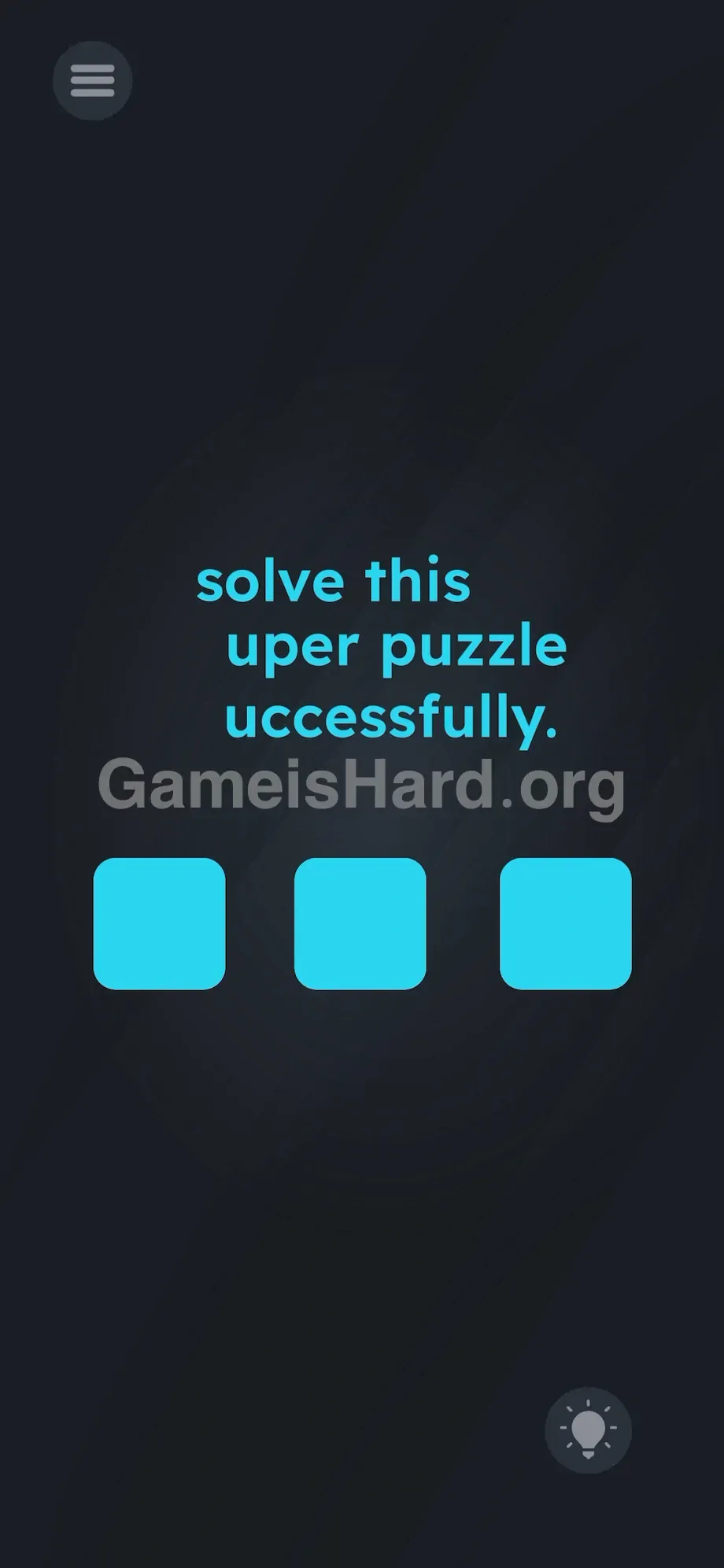
Let's break down the layout before you start tapping blindly. Centered on screen are three lines of bright teal text stacked vertically.
The top line says solve this .
The middle line reads uper puzzle .
The bottom line reads uccessfully. .
Below that messy trio sit three identical light blue square buttons—clean, blank, and eerily familiar from earlier typing-based stages.
In the bottom right corner sits the standard hint lightbulb icon. Top left holds the hamburger menu for settings. The background is deep, near-black. Nothing else stands out—except one subtle detail: the words uper and uccessfully are nudged slightly rightward, leaving a narrow vertical gap directly beneath the lowercase s in solve .
Common Mistakes to Avoid
The Trap
This level leans hard on “UI Blindness”—a cognitive habit baked into every smartphone user. We’ve been trained for years to read text as information only, not interaction. Game is hard Level 211 weaponizes that reflex. It tricks you into treating the instructions as something to interpret, not something to touch. You’re reading the puzzle instead of manipulating it—and that’s exactly what the developers want.
First Instincts That Fail
Almost everyone taps those three blue squares first. You likely tried tapping them in sequence—left to right—or swiping across them. Maybe you even shook your phone or double-tapped the screen hoping for a hidden response. Those buttons are pure misdirection. Their sole purpose is to lock your focus away from the real solution hiding at the top.
Player Reactions
I spent over four minutes hammering those blue squares—long-pressing, tapping in patterns, waiting for a keyboard to appear. The frustration of seeing “uper” and having zero way to type the missing “S” was intense. Then I accidentally dragged the actual text—and instantly facepalmed. It felt obvious after the fact.
Step-by-Step Solution
Preparing the Move
Stop scanning the lower half of the screen. Forget the blue squares entirely. Focus only on the top line—specifically the word solve. To beat Game is hard Level 211, you need to isolate and extract its first letter.
Executing the Solution
- Place your finger directly on the lowercase s in the word solve .
- Press and hold the letter. Do not lift your finger.
- Drag your finger straight down the screen into the empty space.
- Pull the letter down the left margin, right next to the incomplete words uper and uccessfully .
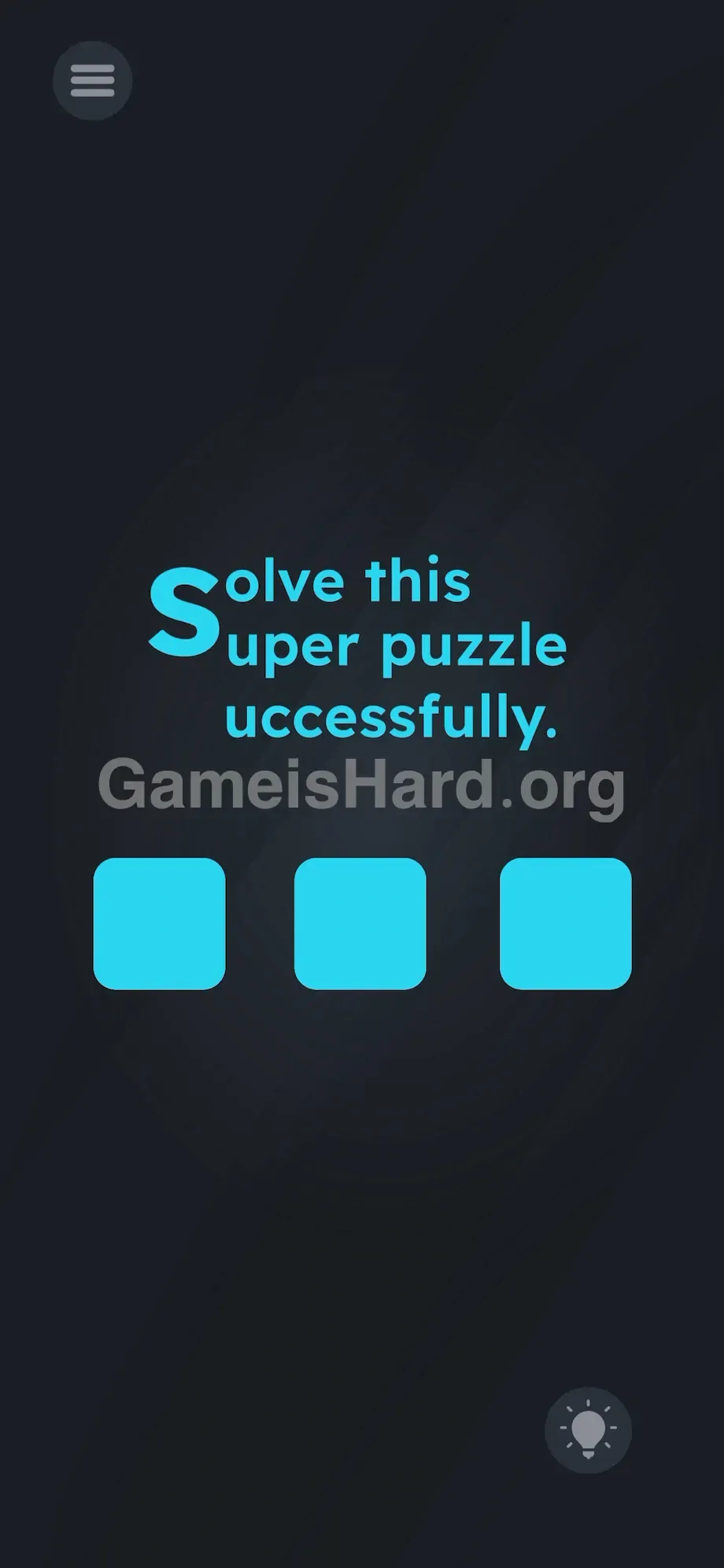
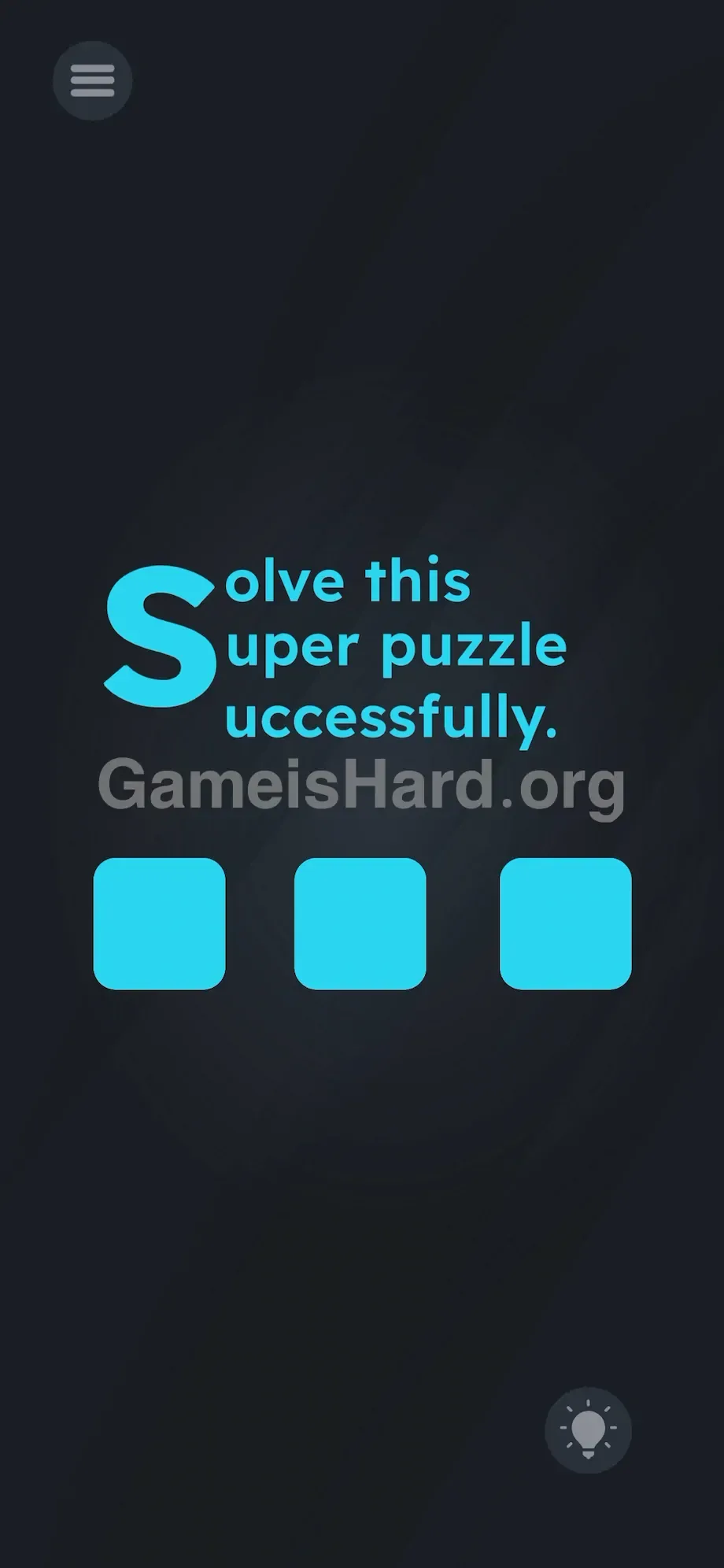
- Watch closely: as you drag, the lowercase s transforms into a massive, full-height uppercase S .
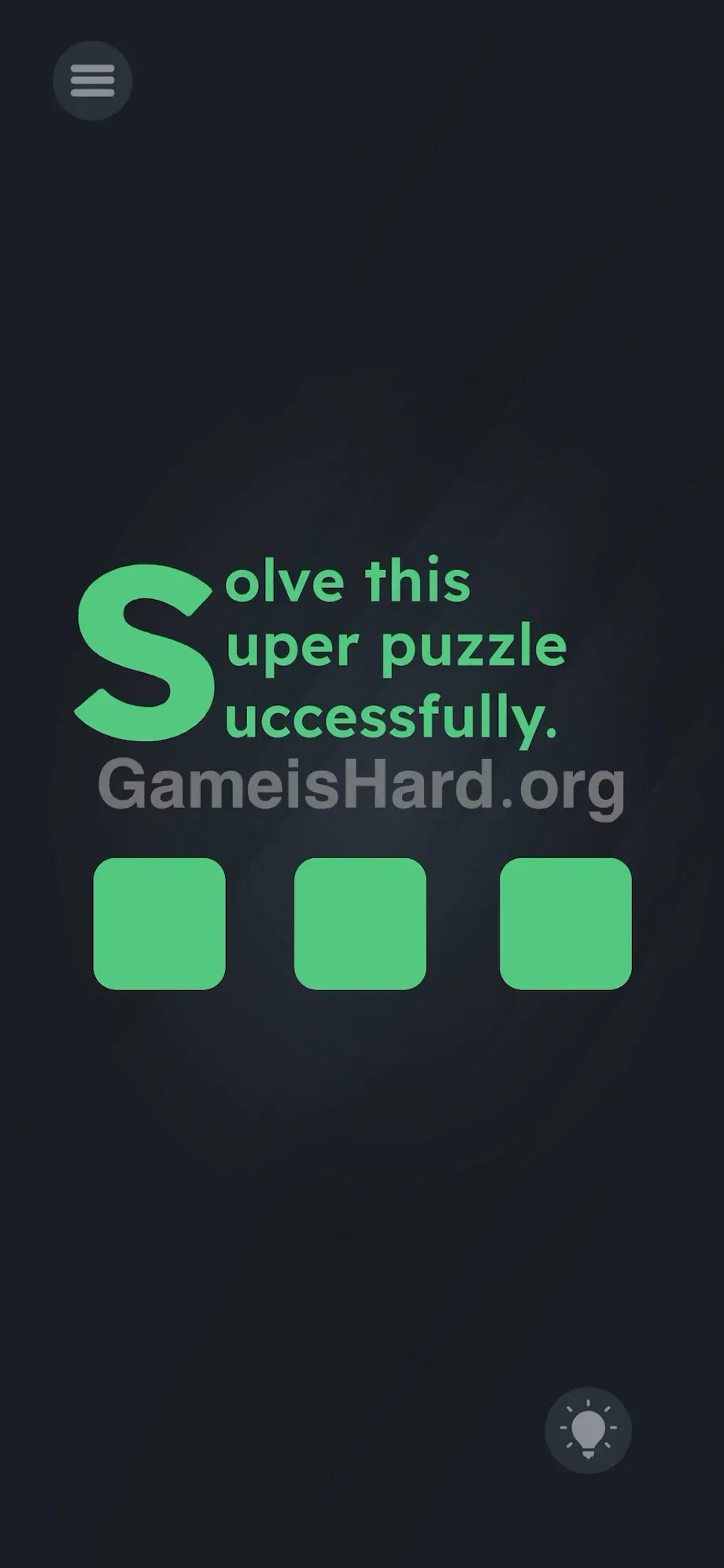
- Release when it aligns to complete all three lines—S olve, S uper, and S uccessfully.
If It Did Not Work
If the letter won’t budge, your tap isn’t landing precisely on the “s.” Hitboxes for individual letters here are tight—try adjusting your finger slightly left until you hit dead center. Don’t select the whole word—just the single letter. If you accidentally trigger your phone’s notification shade, clean your screen, reset your grip, and try again.
Why This Solution Works
This level is textbook Linguistic Deconstruction. Letters aren’t symbols—they’re tangible puzzle pieces. The prompt isn’t guidance; it’s the playing field. By erasing the line between instruction and interface, the game forces you to question everything you assume about touch interactions. The “instructions” are camouflage. The real challenge lives in the UI itself—and autopilot players get punished. You must dismantle the prompt and rebuild it correctly. When a mobile puzzle shows obvious typos but no keyboard, the answer is always woven into the text. Game is hard Level 211 proves the key was visible the whole time.
Bonus Tip
For speedrunners—or anyone who just wants to clear this in under three seconds—follow this exact sequence. No deviations.
- Completely ignore the three blue boxes at the bottom of the screen.
- Tap and hold the s in the word solve .
- Drag it down the left-hand vertical gap.
- Drop it when it expands to cover all three lines of text.
Don’t shake your device, rotate it, or speak into the mic. This is strictly a tap-and-drag task. Precision and speed win.
Frequently Asked Questions
Why do the three blue squares do absolutely nothing? They’re deliberate red herrings—designed to activate your muscle memory for tapping buttons and steer attention away from the real puzzle at the top. Treat them as visual noise.
I'm dragging the letter but nothing happens. What is wrong? You’re likely missing the precise tap zone for the letter s . Ensure you’re pressing directly on the letter—not the whitespace beside it. Hold firm for half a second before dragging down.
Does it matter exactly where I drop the letter? Yes. It must land in the far-left vertical gap to align cleanly with uper and uccessfully —forming the unified capital S that completes all three words.
Do I need to type anything on this stage? No. Even though missing letters scream “fill-in-the-blank,” Game is hard Level 211 requires zero keyboard input—only touch-based manipulation.
More Game Is Hard Solutions
We hate bloated guides as much as you do. Our walkthroughs are built to be fast, accurate, and totally free of fluff. We give you the answer and get out of your way. If this guide helped you crush Game is hard Level 211, stick around for the next stage. Share this guide with your friends on Discord so they stop getting stuck on the easy ones. Keep pushing forward.