App updates can occasionally shift puzzle order. If this level 16 walkthrough doesn’t match what you see, no stress! Flip through our All Levels guide and locate your exact puzzle by its visual layout.
Tip: You’re not tapping or swiping at all—your device itself becomes a real-world marble maze.
Level Overview
What Makes This Puzzle Tricky
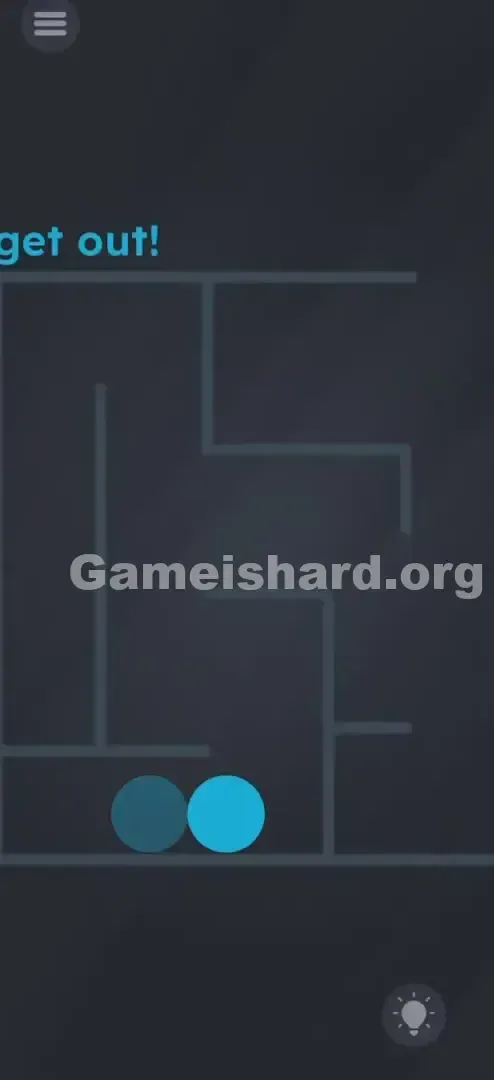
You’re faced with a simple maze and a blue ball. Your reflex says swipe! So you swipe up—nothing. Swipe left—still nothing. Tap the exit—no response. There’s zero visual feedback when you touch the screen. It feels broken—or like the controls are misaligned. That’s the signature Game is hard trick: the real input method isn’t on screen at all.
Your Goal
The goal sounds straightforward: move the blue ball from the bottom to the top-right exit. But here, your “controller” isn’t your finger—it’s gravity. Your smartphone transforms into a tactile puzzle box governed by real-world physics.
Key Mechanics
- Accelerometer / Gyroscope: The game detects how you physically hold and angle your device.
- Physics Simulation: The ball behaves with realistic weight, inertia, and rolling motion.
- Maze Navigation: Success depends on spatial reasoning—not random taps or swipes.
- No Touch Input: Tapping or dragging has zero effect. This isn’t a bug. It’s intentional physics-based interaction.
What Appears on Your Screen
Let’s walk through the on-screen elements so we’re aligned visually.
- Top Left: Standard menu icon—ignore it during the puzzle.
- The Prompt: Bold blue text reads “get out!”—a direct instruction and a subtle nudge toward the exit location.
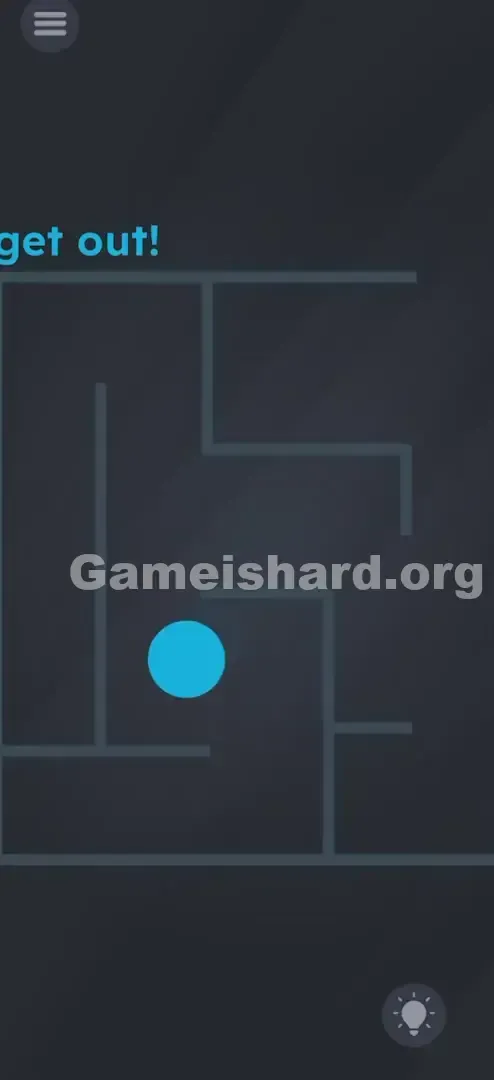
- The Maze: A clean, grey angular labyrinth fills most of the screen; walls are crisp, solid lines.
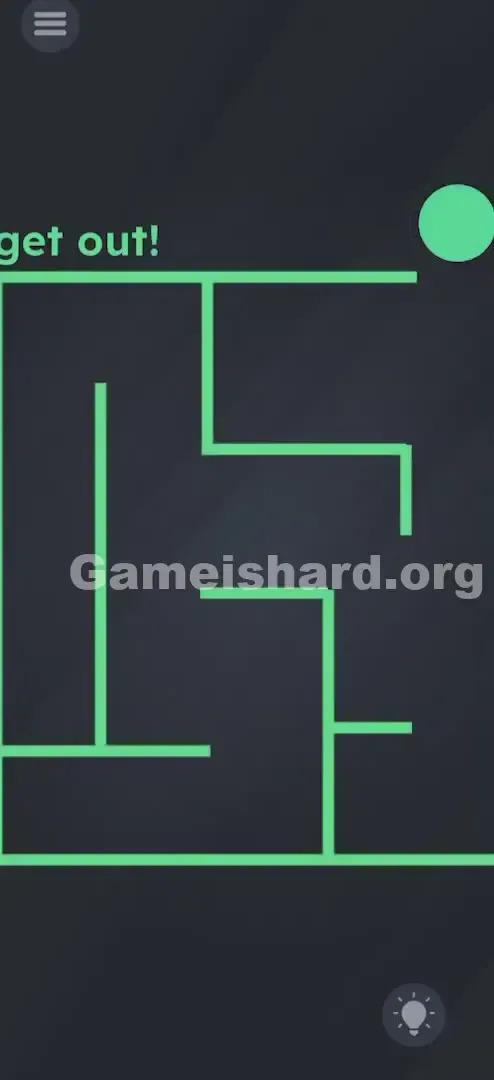
- The Exit: A clear gap appears in the wall at the far top-right corner of the maze.
- The Player: A vivid blue ball sits motionless at the maze’s lowest point.
- The Obstacle: A fainter, darker shape may appear near the start—but only the bright blue ball matters. The UI is stripped bare: no buttons, no joystick, no arrows—just ball and walls. That minimalism is what tricks players into assuming they must tap.
Common Mistakes to Avoid
The Trap
The biggest trap? Touch reliance. After dozens of mobile games that demand taps and swipes, your brain defaults to those actions—even when they do nothing. Chances are, you spent your first half-minute frantically swiping, convinced the screen was unresponsive or the app froze.
First Instincts That Fail
- Swiping: The go-to move—trying to flick the ball like in Angry Birds. Doesn’t register.
- Dragging: Placing your finger on the ball and attempting to drag it across the screen. The ball won’t budge.
- Shaking: When touch fails, some users shake the phone violently. It jostles the ball but offers zero control over direction or precision.
Player Reactions
I stared at it for over a minute, swiping upward repeatedly—harder each time—certain the game was lagging. Then I set my phone down on the table in frustration… and watched the ball slowly roll left. “Wait—what?” That’s when it clicked. I lifted it, tilted right—and instantly felt how obvious it should’ve been.
Step-by-Step Solution
Preparing the Move
Hold your phone flat and steady—parallel to the ground, like holding a tray. Find the blue ball at the base and trace the path to the top-right exit.
Executing the Solution
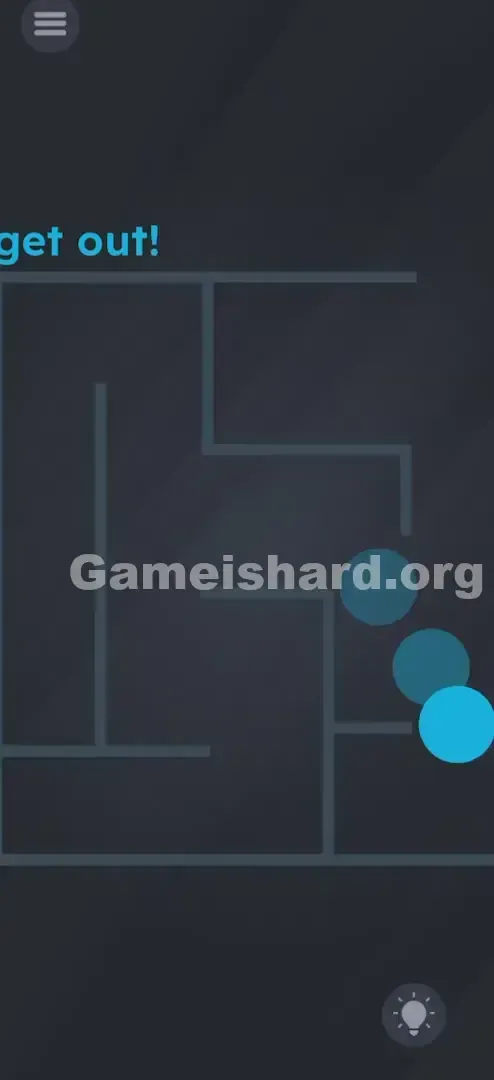
- Tilt Left: Gently lean your phone left to roll the ball toward the first corridor.
- Tilt Up (Forward): Tip the top edge of your phone downward (away from you) to send the ball upward through the vertical passage.
- Navigate the Turns: Keep adjusting tilt—right, up, left—as needed, following open paths. Think of the ball as a marble rolling freely.
- The Exit: Once near the top-right corner, tilt decisively to the right to push the ball cleanly through the exit gap.
Confirming It Worked
The level only completes once the ball fully clears the maze’s outer wall. As soon as it passes beyond the visible play area near the “get out!” text, the “Level Cleared” screen appears instantly.
If It Did Not Work
- Ball stuck? Briefly tilt opposite the wall it’s pressed against to loosen it, then reattempt the turn.
- Sensors unresponsive? If tilting does nothing, verify Auto-Rotate is enabled and gyroscope permissions aren’t blocked. A quick app restart usually resolves sensor hiccups.
Small Details That Matter
The physics engine leans slightly “floaty”—here’s how to master it:
- Momentum builds quickly: Over-tilt, and the ball crashes into walls and rebounds unpredictably.
- Precision comes from subtlety: Small wrist movements work best—a 10–15° tilt is all you need.
- Wall friction slows progress: Guide the ball down the center of corridors instead of brushing along edges to maintain smooth flow. I cracked it only after slowing down. My early aggressive tilts sent the ball bouncing backward off corners. Treat it like balancing an egg—not racing a car.
Why This Solution Works
This level is a textbook case of Hardware Utilization.
While earlier puzzles rely on logic, wordplay, or pattern recognition, this one shifts gears entirely—testing dexterity and physical awareness. The developers challenge whether you remember your phone is a 3D object—not just a flat touchscreen.
It delivers a deliberate “pattern interrupt.” After 15 levels of tapping, dragging, and reading, your hands must suddenly adapt to motion-based control. This mental reset prepares you for future levels where flipping, shaking, or rotating might be key.
Bonus Tip
For speed or confidence, try these quick adjustments:
- Use both hands for steadier, more controlled tilting.
- Look ahead—not at the ball, but at the next corner it’s approaching.
- Ease into turns: Start leveling your phone before the ball reaches the wall to stop it cleanly. Do NOT: Tap the screen. It adds zero value and blocks your view of the maze.
Alternative Attempts of Game Is Hard Level 16 (What Doesn’t Work, and Why)
Here’s what I tested—and why it failed—so you skip the trial-and-error:
- Tapping “get out!”: Thought it might trigger a door. Nope—pure flavor text.
- Dragging the ball: Most intuitive instinct—but the ball isn’t a UI element; it’s governed by physics.
- Swiping the maze background: Attempting to rotate or scroll the layout. The maze is static art.
- Shaking the phone: Causes chaotic movement—no path control.
- Waiting passively: The ball won’t move on its own. No hidden timer or auto-solve.
- Pressing volume keys: Some levels use hardware buttons—but not this one.
Common Mistakes for Game Is Hard Level 16
- Holding upright (e.g., lying in bed): Makes tilt control sluggish and inaccurate—keep the phone flat.
- Over-tilting: Causes overshoot, wall collisions, and backtracking.
- Ignoring momentum: Expecting instant stops—ball slides and carries forward.
- Touching while tilting: Adds no benefit and risks triggering pause or hint menus.
- Giving up too soon: Ball accelerates gradually—hold your tilt for a beat to build speed.
- Focusing on the shadow shape: That dark spot isn’t interactive—zero in only on the bright blue ball.
Pattern Recognition: How to Spot This Trick in Future Game Is Hard Levels
The Tell
If a level features a round or rolling object (ball, wheel, stone) and dragging feels stiff or unresponsive—stop touching immediately.
The Habit
When touch fails, shift to motion-based inputs:
- Tilt: Does gravity affect movement?
- Shake: Does vibration or agitation trigger something?
- Flip: Does turning the phone upside down reveal new clues? If objects look physics-driven (smooth curves, no tap targets), assume gravity is your primary input.
Game Is Hard Level 16 FAQ (Short, Useful)
Q: The ball won’t budge when I tilt in Game is hard Level 16!
A: Check for magnetic cases or faulty sensors—but more likely, you need a slightly steeper initial tilt to overcome static friction.
Q: Can I skip the maze in Game is hard Level 16?
A: No shortcuts exist. You must follow the exact path defined by the grey walls.
Q: Does “get out!” hide a secret in Game is hard Level 16?
A: Not here—it’s purely directional flavor text. No interactivity or hidden meaning.
Q: The ball vanished off-screen but the level didn’t end in Game is hard Level 16.
A: It likely slipped through a wall glitch. You must exit through the designated top-right gap. Restart if this happens.
More Game Is Hard Solutions
That’s the full solve for Game is hard Level 16. Found this helpful? We’ve got step-by-step guides for every level at thegameishard.org—no filler, just fast, accurate answers to help you beat friends’ scores. Share this link with anyone still tilting their head instead of their phone.
Keep gaming—and remember: when the screen stays silent, move the device!