
App updates can occasionally shift puzzle order. If this level 113 walkthrough doesn’t match what you’re seeing, no problem! Flip through our All Levels directory to locate your exact puzzle by image.
Level Overview
What Makes This Puzzle Tricky
You're faced with a stripped-down cosmic scene: a tiny ball circles a large one endlessly—missing every target. It’s frustratingly inert. Taps do nothing. Swipes do nothing. With zero visual feedback, it’s easy to think your touchscreen has failed. It hasn’t—you just haven’t discovered the correct gesture yet.
Your Goal
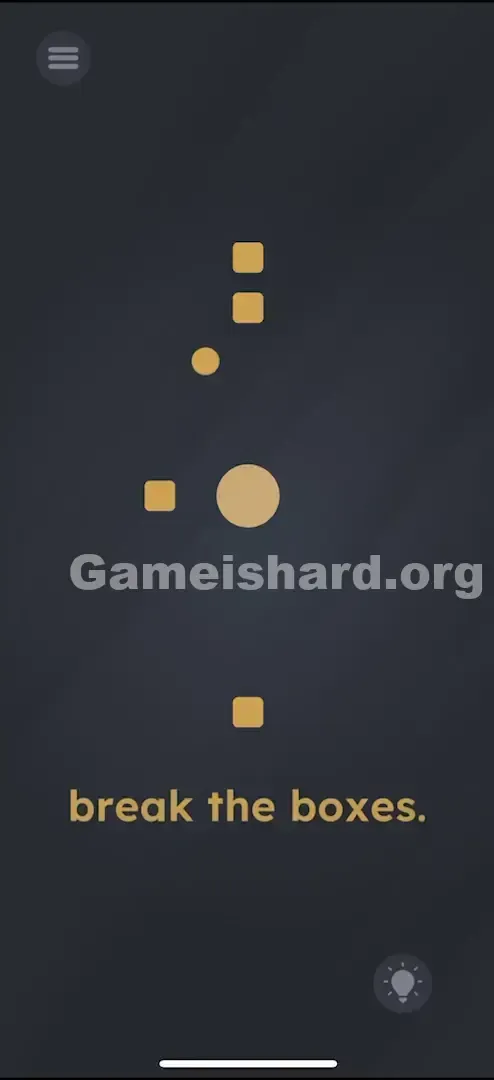
Your mission is pure demolition: break the boxes. You’ve got a central anchor (the big circle), a moving projectile (the orbiting small ball), and several targets (the square boxes). The challenge? That projectile is locked in an unchanging orbit that sails past everything. You need to bend that path.
How the Game Responds
- Multi-touch / Pinch Zoom: This is the core interaction—you’re not tapping; you’re scaling.
- Physics Manipulation: Resizing the center object directly alters the orbital radius of the outer one.
- Timing: Adjust the center’s size while the ball is in motion to align its path with boxes at varying distances. It’s not a bug—it’s intentional physics.
What Appears on Your Screen
The interface is clean and minimalistic, set against a dark background:
- Center Stage: A large, beige circle anchors the screen dead-center.
- The Satellite: A smaller beige ball rotates steadily around the large circle.
- The Targets: Several small, beige square boxes float at different distances from the center—some near, some far.
- The Text: At the bottom, the instruction reads “break the boxes.”
- The UI: Standard menu icon top-left, lightbulb hint icon bottom-right. Nothing moves except the orbiting ball.
Common Mistakes to Avoid
The Trap
The real snag is “Single-Touch Bias.” Most mobile games train us to tap or drag with one finger. Two-finger gestures—like pinch-to-zoom—are usually reserved for maps or photos. Game is hard leverages that assumption. You’ll try dragging the small ball (it snaps back), dragging the boxes (they won’t budge), or tilting your device (no effect).
First Instincts That Fail
- Flicking the ball: I swiped at the small ball like launching a slingshot in Angry Birds—only to watch it keep spinning unperturbed.
- Tapping the boxes: I tapped each box rapidly, hoping for a crack. They ignore taps completely.
- Shaking the phone: I gave it a vigorous shake, thinking gravity might help. It didn’t.
Player Reactions
I wasted nearly two minutes trying to “launch” the small ball. Then—by accident—I rested my thumb on screen while dragging with my index finger and saw the central circle shrink. I actually groaned. The answer had been there all along.
Step-by-Step Solution
Preparing the Move
Forget the orbiting ball for now. Your full attention belongs to the large central circle. Think of it like zooming in or out on a photo—not tapping or dragging.
Executing the Solution
- Pinch the Center: Place two fingers on the screen close to the big central circle .
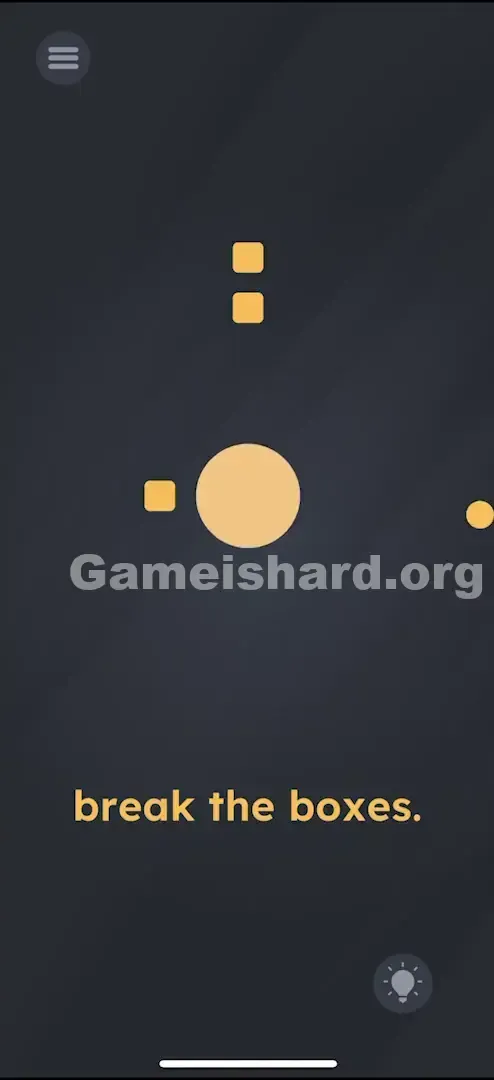
- Resize: Pinch In: Make the central circle smaller. This pulls the orbiting ball closer to the center. Pinch Out: Spread your fingers to make the central circle larger. This pushes the orbiting ball further out.
- Pinch In: Make the central circle smaller. This pulls the orbiting ball closer to the center.
- Pinch Out: Spread your fingers to make the central circle larger. This pushes the orbiting ball further out.
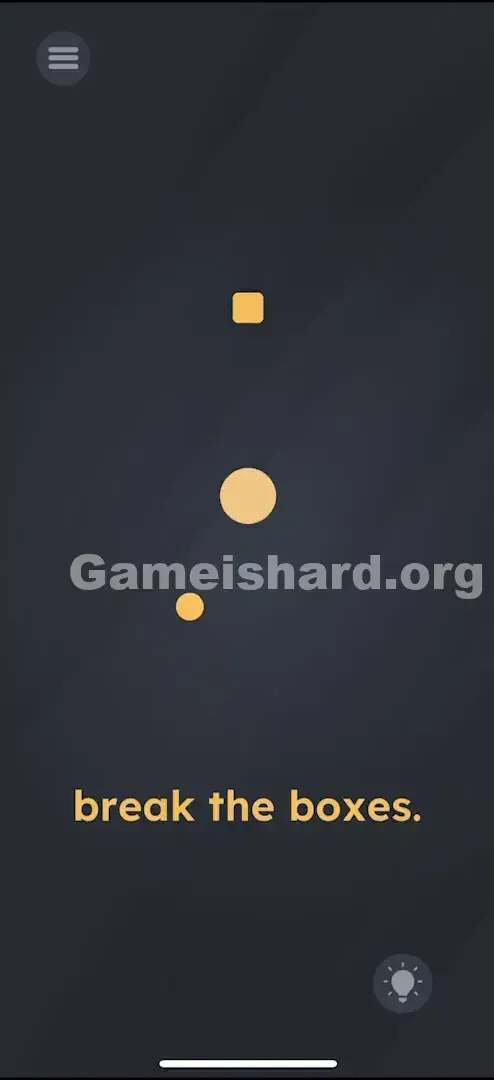
- Smash: Watch the small ball spin. Tweak the center circle’s size in real time so the ball’s orbit crosses a box . Contact = destruction.
- Repeat: Hit each box one by one. You’ll need a much larger center circle for distant boxes and a very small one for nearby ones.
If It Did Not Work
- The ball missed? Hold the resized circle steady for a full rotation—the ball needs time to reach the target.
- Can't reach the furthest box? Pinch out aggressively—the center circle may need to grow significantly.
- Fingers getting in the way? Try using your thumbs if holding the phone, or lay it flat and use both index fingers for more control.
Why This Solution Works
This level simulates gravitational physics: the “mass” (size) of the central object determines the orbital distance of its satellite. Change the size → change the orbit.
It follows Game is hard’s signature style: controls are hidden, and no tutorial tells you pinch is active here. Instead, you’re nudged to test common smartphone gestures—tap, swipe, pinch, tilt—until one triggers the right response.
Bonus Tip
- Don’t lift your fingers: Keep both fingers on screen the entire time. Slide them smoothly inward or outward like a live dial to steer the ball mid-orbit.
- Go Big then Small: Start by expanding fully to hit outer boxes first, then gradually shrink down for inner ones.
Frequently Asked Questions
Q: Can I stop the ball from spinning in Game is hard Level 113? A: No, the orbit runs automatically. You only influence how far the ball orbits from the center.
Q: Nothing happens when I pinch. A: Ensure your pinch starts near the center circle . Pinching too far away may not register as a resize command.
Q: Do I need to hit the boxes in a specific order? A: No. Break them in any sequence—just clear them all.
Q: Is there a time limit? A: None. Take all the time you need to line up those orbits.
More Game Is Hard Solutions
Stuck on another level where the rules feel impossible? We deliver no-nonsense, step-by-step guides for every puzzle in Game Is Hard. Zero filler—just working solutions. Share this guide with friends battling the orbit puzzle!
Good luck smashing those boxes!