App updates can sometimes shuffle the order of puzzles. If this level 10 walkthrough doesn't match your screen, don't worry! You can browse our All Levels guide to find your exact puzzle by its picture.
The letters in the question "Is this game boring?" are loose objects, not fixed text; shake until you reveal the hidden answer.
Level Overview
What Makes This Puzzle Tricky
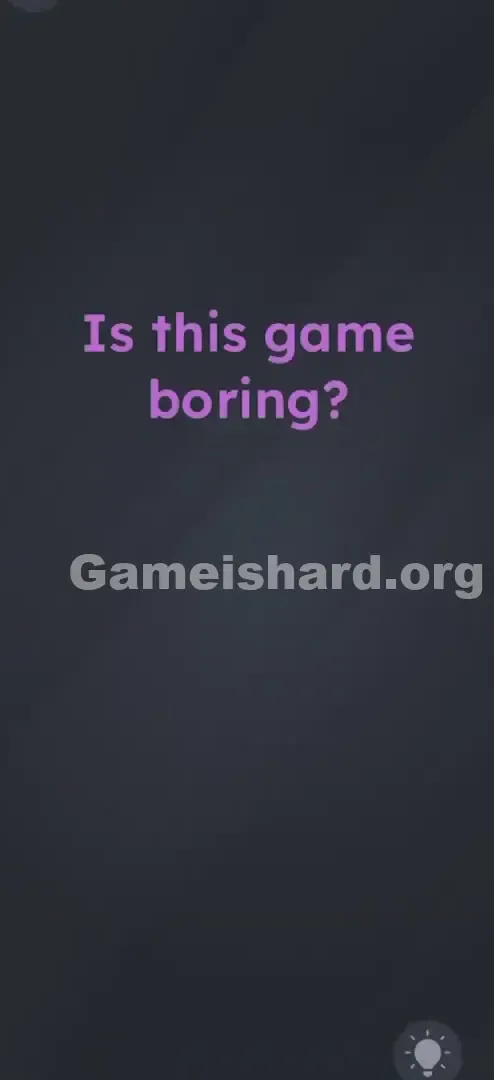
You’re greeted with a bold, purple question front and center: "Is this game boring?" No buttons. No options. Just that one loaded line. Tapping does nothing. Dragging does nothing. It feels like a glitch—or maybe a test of patience. But the real clue is in how still everything looks. This isn’t a static prompt—it’s a physics setup waiting for motion.
Your Goal
You’re not meant to answer the question with logic or intuition. Instead, treat the sentence as raw material: break it apart, strip it down, and uncover the answer hiding in plain sight. The phrase itself holds the solution—but only if you disrupt it physically.
How the Game Responds
- Motion Sensors (Accelerometer): The game detects physical movement in real time.
- Physics Engine: Letters behave like physical objects—falling, colliding, and settling under simulated gravity when shaken.
- Hidden Object: The answer is embedded in the original text, revealed through interaction.
- Touch Input: Once exposed, the final answer must be tapped to proceed. It’s not a mistake—it’s intentional design.
What Appears on Your Screen
Level 10 opens with stark minimalism—no distractions, no hints, just pure focus.
- The Background: A deep, neutral grey with zero visual noise.
- The Text: Large, bold, purple font centered near the top: "Is this game boring?"
- The Font: Clean, highly legible, and deliberately prominent.
- The Absence of UI: No menu, no keyboard, no visible controls—just the question and empty space. That emptiness isn’t accidental. It’s directing your attention straight to the text—and signaling that the text is the puzzle.
Common Mistakes to Avoid
The Trap
Most players fall into “tap-and-wait” mode—trained by years of apps to interact gently and expect immediate feedback. Shaking your phone feels unnatural here, almost like breaking the rules. But that’s exactly what the level demands: abandon digital etiquette and treat your device like a container full of loose parts.
First Instincts That Fail
- The Passive Wait: Assuming silence means you should sit still and wait for something to happen.
- The Tap Hunt: Frantically tapping every pixel hoping to uncover a hidden button.
- The Word Swap Fantasy: Trying to manually drag or delete words like “boring” to force a new meaning.
Player Reactions
I spent over a minute swiping and poking before accidentally jostling my phone while reaching for coffee—and saw the letter “g” wobble. That tiny movement clicked everything into place: this wasn’t text. It was a simulation.
Step-by-Step Solution
Preparing the Move
Get a firm grip on your device. You’ll need control—not finesse—to trigger the physics correctly. Focus on the sentence "Is this game boring?" .
Executing the Solution
- Shake It: Give your phone or tablet a firm, quick shake—not a wiggle. Commit to the motion.
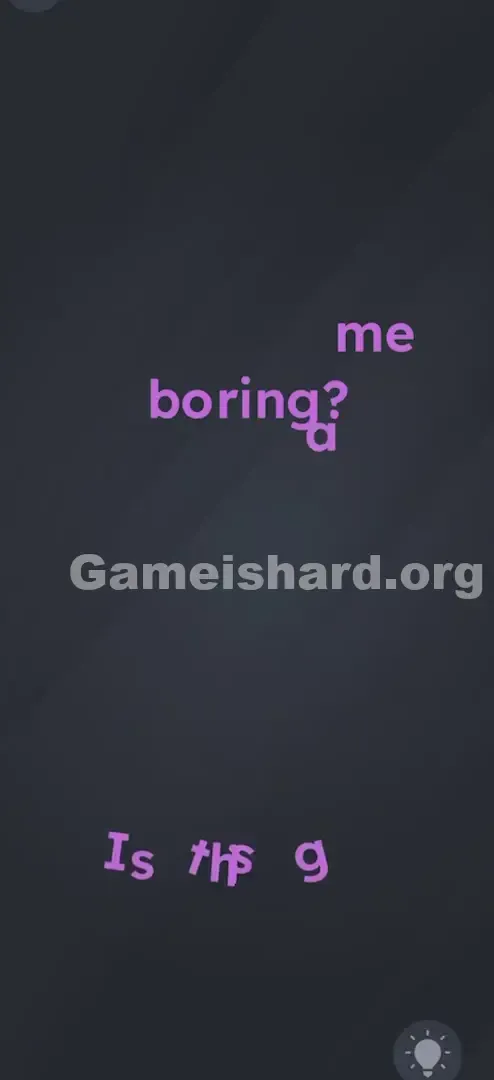
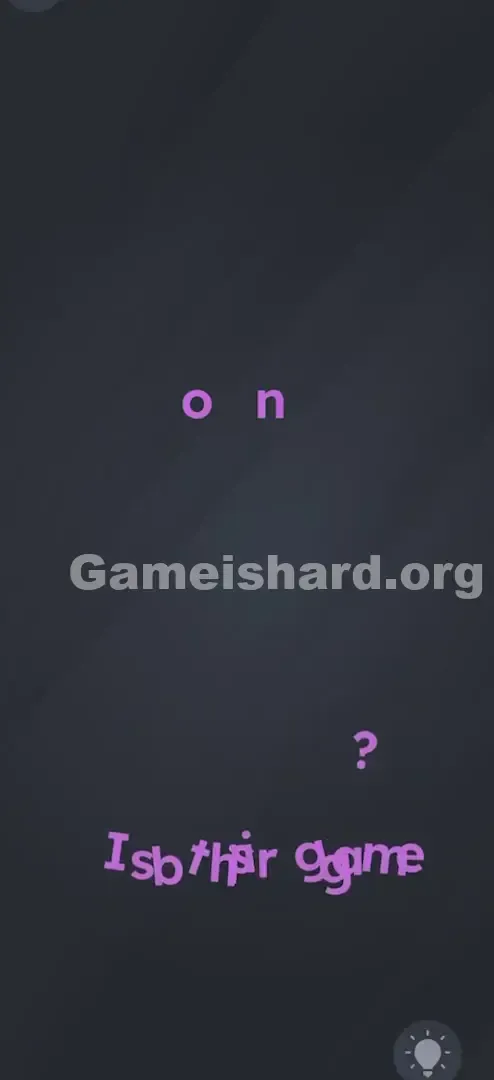
- Watch thefall: As physics activate, individual letters detach and drop toward the bottom like scattered tiles.
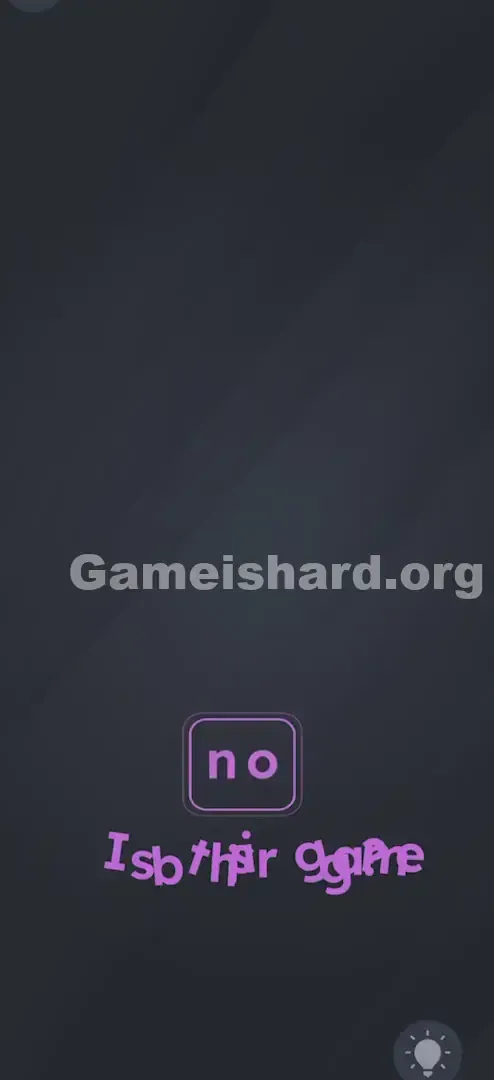
- Spot the Remainder: Most characters vanish from view, but two key letters stay visible—forming the word no . They may appear intact, reassemble mid-fall, or emerge after others clear away. Correction/Clarification based on mechanics: In this specific level iteration, shaking usually causes all extraneous letters to drop, leaving just the letters n and o (often derived from the existing text or revealing a hidden layer).
- Sometimes the letters rearrange themselves.
- Sometimes specifically the letters from "boring" fall away, leaving fragments that spell no .
- Correction/Clarification based on mechanics: In this specific level iteration, shaking usually causes all extraneous letters to drop, leaving just the letters n and o (often derived from the existing text or revealing a hidden layer).
- The Final Tap: Once “no” stands clearly alone, tap it to advance.
If It Did Not Work
- Nothing is moving? Check if “Shake to Undo” is disabled in your accessibility settings—or try a sharper, wrist-driven snap instead of broad arm motion.
- Letters fell but didn’t form “no”? Keep shaking. One stray character might cling to the edge—clear the screen fully before tapping.
Small Details That Matter
The accelerometer responds best to precise input—not effort. Here’s how to guarantee success.
- The Snap: Think of flicking water off your hand—short, sharp, and sudden. Slow motions won’t register.
- Orientation: Keep your phone upright (portrait). Tilting too far sideways may send letters drifting across the screen instead of falling cleanly off.
- The "No" Hitbox: The target may be small or slightly offset. If your first tap misses, try tapping just above or below where “no” appears—the hitbox sometimes lags behind settling physics. I cracked it by accident—dropping my phone onto the couch. The impact jolted the sensor just right, sending “b” tumbling. That’s when I realized: sometimes, the answer is literal motion.
Why This Solution Works
This is a textbook Deconstruction Puzzle. Its core rule? Text is Physical.
In most interfaces, words are static labels—information only. Here, they’re interactive objects governed by gravity and collision. Shaking breaks the illusion of flatness and forces you to engage with your device as hardware—not just a window into software.
The level asks: Do you respond to what you see—or what you can create?
Bonus Tip
For speed or replay runs, skip the pause.
- Start Shaking Immediately: Don’t wait for the level number to fade—begin as soon as the screen loads.
- Watch the Bottom: Forget the top half—track where letters land. That’s where the answer reveals itself.
- Tap the Survivor: The second “no” becomes legible, tap it—even if other letters haven’t fully exited the frame. Skip the drag: Your fingers won’t move the letters. Only motion triggers the physics.
Alternative Attempts of Game Is Hard Level 10 (What Doesn’t Work, and Why)
- Tapping the word "boring": Might highlight it or do nothing—this level rejects passive selection.
- Waiting for 60 seconds: Patience won’t help. There’s no timer-based reveal.
- Shouting "No" at the mic: Voice input isn’t used here—only motion sensors matter.
- Turning the phone upside down: Orientation alone rarely activates physics—shaking is the required trigger.
- Swiping the text: Swipes register as scroll gestures, which this screen ignores entirely.
Common Mistakes for Game Is Hard Level 10
- Too-Gentle Shaking: Holding back out of habit. You need energy—not delicacy.
- Stopping Too Early: One shake often isn’t enough. Keep going until only “no” remains visible.
- Misreading the Chaos: Seeing letters scatter and assuming you broke something—when really, you’ve solved it.
- Tapping Fallen Debris: Among the jumble, “no” is easy to miss unless you’re scanning for it.
- Overthinking Case: Look for the word itself—not uppercase/lowercase perfection.
- Calling It a Bug: When letters tumble, it’s not malfunctioning—it’s working exactly as designed.
Pattern Recognition: How to Spot This Trick in Future Game Is Hard Levels
The Tell
If a level shows no buttons, no sliders, no obvious touch targets—and features a short, centered phrase—reach for your accelerometer first.
The Habit
When stuck on a blank-looking screen:
- Shake it.
- Tilt it.
- Flip it. Before diving into logic, test physical interaction. Movement that shifts the UI confirms a physics-based puzzle.
Frequently Asked Questions of Game Is Hard Level 10 (Short, Useful)
Q: I'm shaking my phone but nothing is happening in Game is hard Level 10? A: Try removing a thick case, and use a crisp wrist-flick motion—not a slow sway. Screen rotation lock usually doesn’t interfere, but double-check.
Q: Do I need to spell "no" myself in Game is hard Level 10? A: No. Physics handles the deconstruction—you just tap the result once it’s visible.
Q: Can I skip this level in Game is hard Level 10? A: Ads usually offer skips, but this level takes seconds once you know the trick. Save skips for tougher challenges ahead.
Q: Is the answer always "no" in Game is hard Level 10? A: Yes—for this exact question. The devs lean into the cheeky meta-humor: you’re not allowed to agree.
More Game Is Hard Solutions
That’s the fastest way through Game is hard Level 10. We build these guides to cut frustration—not add to it—so you spend less time stuck and more time solving. If this walkthrough turned your angry shake into a winning one, share it with fellow players. Onward to Game is hard Level 11 !