
App updates can occasionally reorder puzzles. If this level 275 walkthrough doesn’t match what you’re seeing, no stress! Flip through our All Levels directory and locate your exact puzzle using its visuals.
You’ll need to physically tilt your device—like balancing a marble on a tray—to let gravity drive the action.
Level Overview
What Makes This Puzzle Tricky
You’re tapping, swiping, and pinching—but nothing responds. You press harder. Try two fingers. Still silent. That’s intentional. This isn’t a broken screen—it’s a deliberate shift in control: touch is disabled, and your phone’s motion sensors are now in charge.
Your Goal
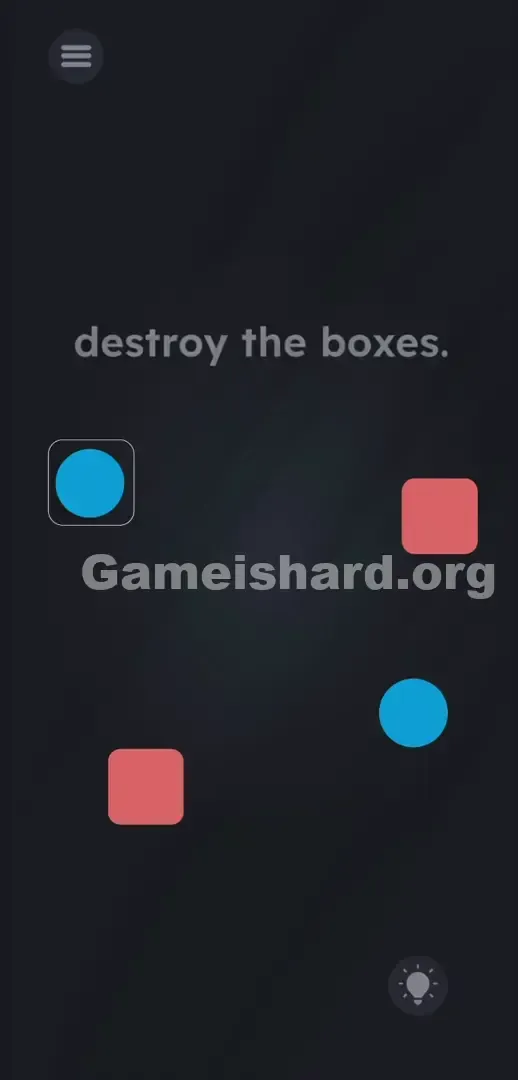
The top-of-screen text says “ destroy the boxes. ” You’ve got targets (the red boxes) and tools (blue balls)—but only one ball moves freely. You need two hits for two boxes, so you must unlock the second ball by manipulating physics—not pixels.
- Tilt / rotation: Gravity replaces touch. Your gyroscope is the controller.
- Hidden object: The second ball isn’t hidden—it’s locked inside a visible but impassable barrier.
- Sensors: The game bypasses your touchscreen entirely and taps directly into your phone’s motion hardware.
- Physics puzzle: Think real-world momentum—angles, timing, and force matter. It’s not a glitch. It’s your ammo.
What Appears on Your Screen
Let’s map the layout. At the top, plain white lowercase text reads “ destroy the boxes. ” It looks like standard instruction—but it’s actually part of the puzzle’s misdirection.
Below that, the board sits against a dark backdrop. On the middle-left, a blue ball rests inside a thin, rounded-square outline—resembling an inactive UI toggle or disabled button. On the middle-right, another blue ball floats freely, unanchored and ready to move.
Your targets: two solid red boxes placed diagonally—one high on the right, one low on the left. They appear static, weighty, and untappable.
The hamburger menu stays safely in the top-left corner; the hint icon rests in the bottom-right. The rest of the screen is empty space—tempting, but completely unresponsive to touch.
Common Mistakes to Avoid
The Trap
Touch muscle memory works against you here. We’re conditioned—by years of apps—to drag, tap, and swipe instinctively. But this level disables those inputs and activates your phone’s internal sensors instead. You’re trying to solve a digital logic puzzle while the game demands physical coordination.
First Instincts That Fail
I wasted time dragging the word “ destroy ” down onto the red boxes—thinking it was a wordplay trick. Nope. I tried double-tapping both red squares at once. Nothing. Tapping the caged ball just smudged my screen. Zooming in on the free ball? Useless. The level isn’t broken—it’s designed to expose how much we rely on outdated interaction habits.
Player Reactions
Total forehead-slap moment. Frustrated, I dropped my phone onto the couch—and as it tilted, the free blue ball rolled across the screen. Gravity. The answer wasn’t in the interface—it was in the hardware. I’d been wrestling software when I needed to engage physics.
Step-by-Step Solution
Preparing the Move
Put your fingers away from the screen. Clean any smudges. Hold your phone perfectly flat—level with the floor—as if balancing water in a shallow bowl. This neutral position resets the gyroscope and gives you clean control.
Executing the Solution
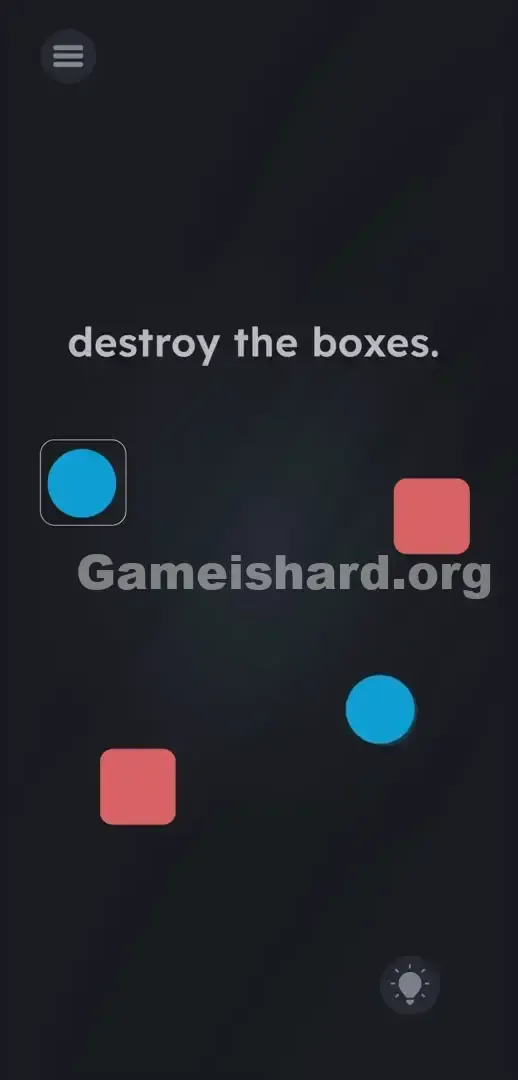
- Tilt your phone slightly down and to the left. Watch the free blue ball start rolling downward from rest.
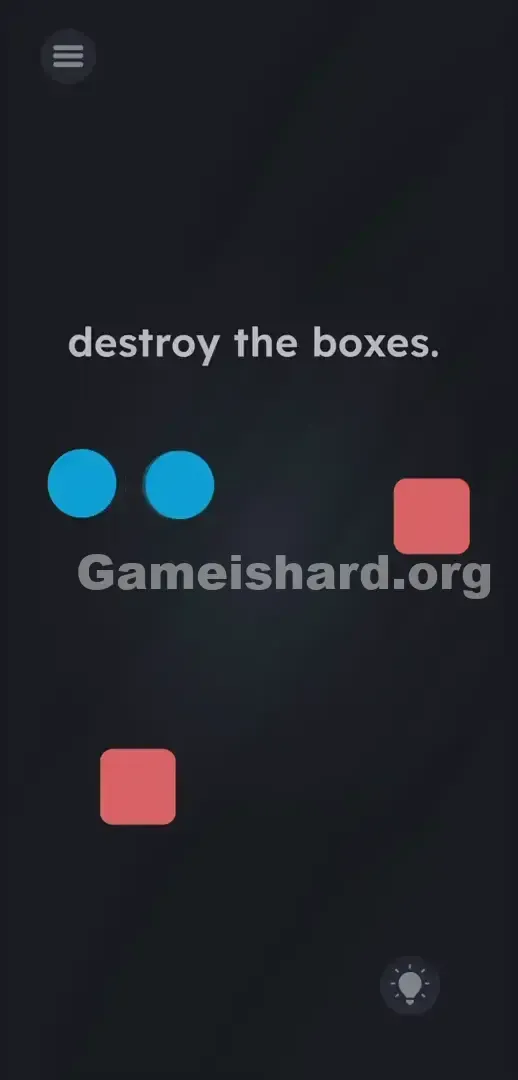
- Guide it straight into the thin square outline holding the second blue ball captive.
- Collide them—the impact breaks the outline open. Now two blue balls roll freely.
- Tilt your phone to aim one blue ball into a red box . Impact destroys both the box and that ball instantly.
- Tilt once more to direct the remaining blue ball into the last red box .
If It Did Not Work
If the ball won’t budge—even with aggressive tilting—check your phone settings. Sensor access or auto-rotation may be turned off. Re-enable both.
Overly jerky movements can glitch the physics engine: balls might clip out of bounds or vanish. If that happens, don’t shake harder. Close the app fully and restart. Move slowly and smoothly—treat your phone like a classic marble maze toy.
Why This Solution Works
This level tests spatial intuition and hardware adaptability—not pattern recognition. Most mobile games live behind glass; this one pulls you into the physical world.
The instructions aren’t vague—they’re literal. “Destroy the boxes” means physically break them, using real-world forces. That outline isn’t just art—it’s a breakable barrier. Those red boxes aren’t graphics—they’re fragile objects. By switching to tilt controls, the game redefines your phone: it’s no longer a window into a game—it is the game’s playing field. The onscreen text? Just misdirection. Your device is the real puzzle.
Bonus Tip
Stop swiping blindly—it wastes time and energy. Beat this level in under five seconds with these precise physical moves:
- Hold your phone perfectly flat to stabilize sensor input.
- Tilt sharply left to instantly blast the trapped ball free.
- Rotate the phone in one smooth, controlled arc to guide both blue balls into their respective red boxes. Avoid frantic shaking. Slow, intentional tilts beat speed every time.
Frequently Asked Questions
Why is the blue ball stuck inside the square outline? It’s sealed behind a physics-based barrier—you can’t tap, drag, or click it open. You must use the free blue ball as a kinetic battering ram. A direct collision shatters the enclosure.
My screen ignores all swipes—is the game frozen? Not at all. Touch is intentionally disabled for puzzle elements here. You need to tilt your actual device to activate gravity and set objects in motion.
I broke one box, but the other won’t go. Why? Each red box needs its own dedicated impact. Hitting the first box consumes that blue ball—so you’ll need the second one to take out the remaining target.
Can I smash both red boxes simultaneously? Technically yes—if your tilt timing is perfect. But there’s no reward for doing so, and it’s far riskier. Taking them one at a time is simpler, safer, and more reliable.
More Game Is Hard Solutions
Stuck again? We’ve got you covered. Our guides cut straight to the solution—no filler, no fluff—so you spend less time frustrated and more time progressing. Share this Game is hard Level 275 walkthrough with your Discord squad the next time they rage-swipe at an unresponsive screen. Keep climbing.