App updates can sometimes shift puzzle order. If this level 177 guide doesn’t match what you see, no stress! Flip through our All Levels directory to spot your exact puzzle by image.
Level Overview
What Makes This Puzzle Tricky
You’re greeted with a pitch-black screen, bold orange text declaring, “the light shall cleanse the vampiric balls,” and a jumble of bright orange shapes. You tap them—nothing. You drag them together—still nothing. You hunt for a sun, lamp, or glowing object—none exists. The real answer’s been sitting in plain sight the whole time, disguised as something you’d never consider part of the puzzle.
Your Goal
Your mission: eliminate the orange circles—the “vampiric balls”—using light. But here’s the twist: the light source isn’t drawn into the scene. It’s built into the game’s interface itself.
Key Mechanics in Game is hard Level 177:
- Drag and Drop: All shapes move freely across the screen.
- Hidden Interactions: UI elements like Menu and Hint buttons double as interactive objects.
- Shape Recognition: Only circles count—squares and triangles are red herrings. This level breaks the fourth wall intentionally. The interface isn’t just decoration—it’s functional.
What Appears on Your Screen
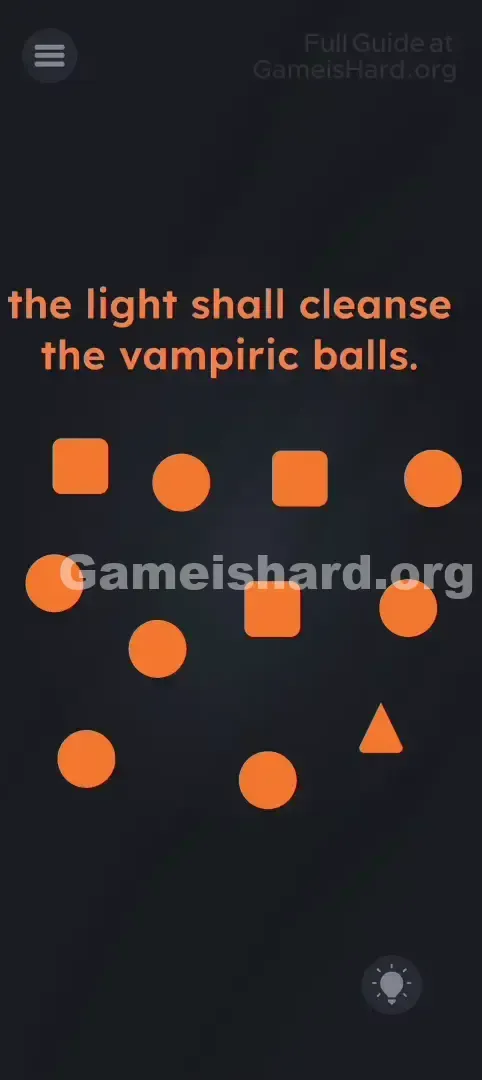
The background is nearly black. At the top, the instruction glows in orange: “the light shall cleanse the vampiric balls.”
Below it, scattered across the screen, are several vivid orange shapes:
- Squares (roughly 3–4).
- Circles/Balls (about 6–7).
- One lone triangle (usually tucked near the right edge). In the corners sit standard UI controls: the Menu button (three horizontal lines) at top-left and the Hint button (lightbulb icon) at bottom-right. It looks like a sorting challenge—but there’s no target zone, no bin, no obvious destination.
Common Mistakes to Avoid
The Trap
Most players instinctively treat the Hint button as off-limits—a tool for getting help, not part of the puzzle. When “light” is mentioned, brains scan the artwork for lamps, suns, or glowing symbols—not the UI. Yet in this level, the line between interface and gameplay vanishes entirely.
First Instincts That Fail
- Flinging balls off-screen: They bounce back, unharmed.
- Tapping the background frantically: Hoping to uncover a hidden light source.
- Merging or colliding shapes: Circles won’t combine, squares won’t transform.
- Waiting for “sunrise”: The darkness stays absolute—no timer, no animation.
Player Reactions
I actually tried dragging the word light from the prompt around like a flashlight—felt brilliant for two seconds. Then I spotted the literal lightbulb icon in the corner, grinning at me like it knew all along. Instant facepalm.
Step-by-Step Solution
Preparing the Move
First, find the lightbulb-shaped Hint Button in the bottom-right corner—that’s your light source. Then, pick out every orange circle on screen (ignore everything else).
Executing the Solution
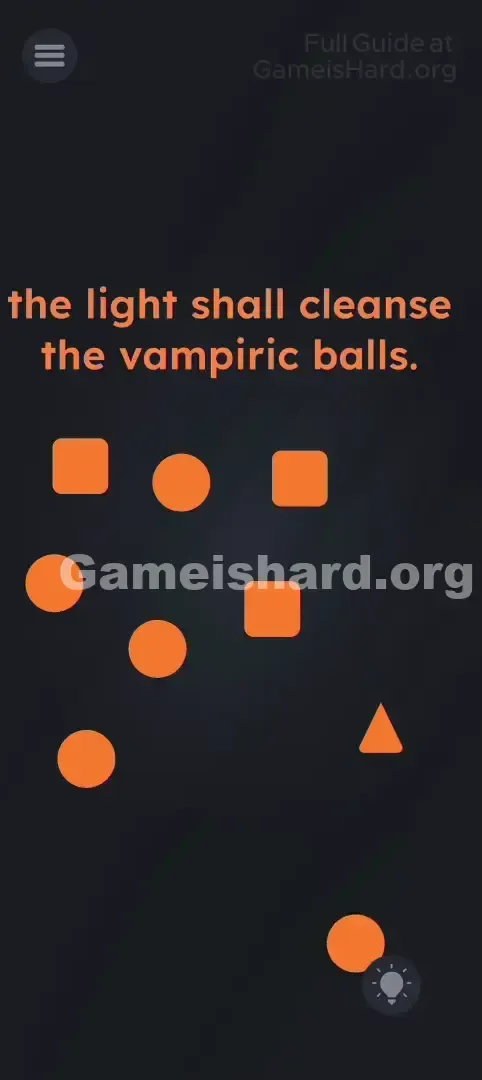
- Tap and hold any orange circle.
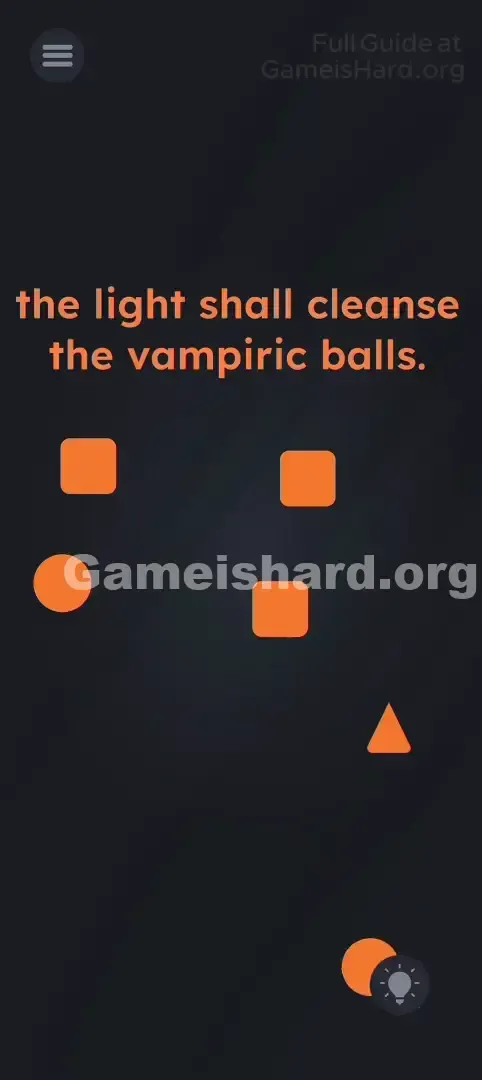
- Drag it straight onto the center of the lightbulb icon.
- The circle disappears instantly—“cleansed.”
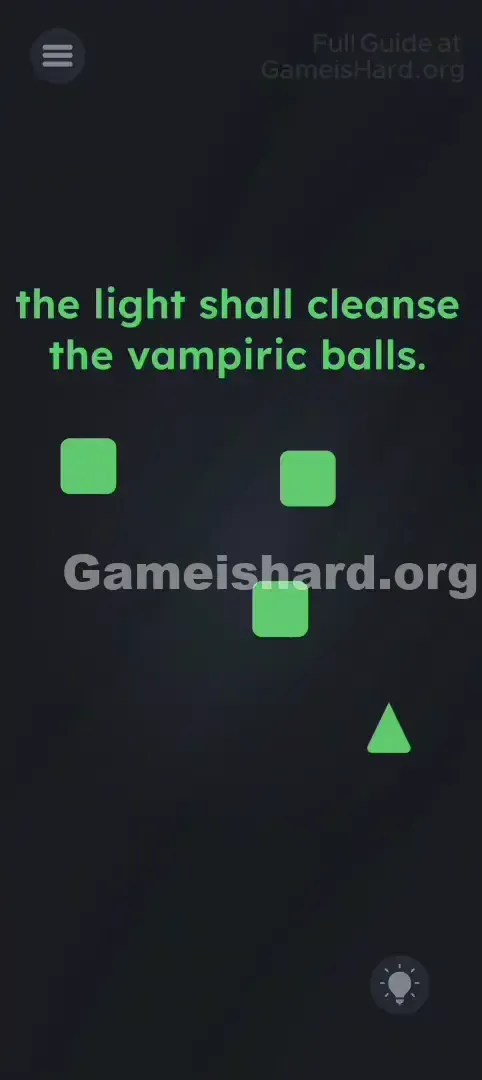
- Repeat until every orange circle is gone.
- Skip the squares and triangle—they serve no purpose here and won’t react.
If It Did Not Work
- "It didn't work!" Ensure you drop the circle directly over the bulb’s center—not beside it or slightly overlapping.
- "I missed one!" Circles sometimes hide behind squares. Slide those aside to reveal any stragglers.
- "Do I drag the text?" Nope. While some levels use on-screen words as tools, this one relies solely on the icon.
Why This Solution Works
This puzzle exploits UI Blindness—the natural tendency to ignore HUD elements like buttons and menus while focusing on the “game world.” By turning the Hint icon into the solution, it forces you to reinterpret your entire screen as part of the puzzle space.
It also leans on wordplay: a lightbulb symbolizes illumination—so the icon is the light. A pun, made playable.
Bonus Tip
- Zero in on circles only.
- Move them swiftly to the bottom-right corner.
- If a circle doesn’t vanish, gently nudge it until it snaps into place over the bulb.
- Leave squares untouched—they’re pure distraction.
Frequently Asked Questions
Q: Can I drag the word "light" from the prompt? A: Not here. That trick works elsewhere, but level 177 demands the lightbulb icon—not the text.
Q: Does dragging squares break anything? A: No. They’ll just sit there, unaffected. Feel free to move them—but don’t expect results.
Q: Do I need to tap the Hint button first? A: Absolutely not. Tapping opens the hint menu (and possibly an ad). Just drag circles onto it—no taps required.
Q: Is the triangle relevant? A: No. Like the squares, it’s visual noise—meant to distract, not participate.
More Game Is Hard Solutions
Stuck on another level where logic seems to have taken a coffee break? Our guides cut straight to the solution—no filler, no guesswork. Pass this along to friends still wrestling with orange shapes in the dark!