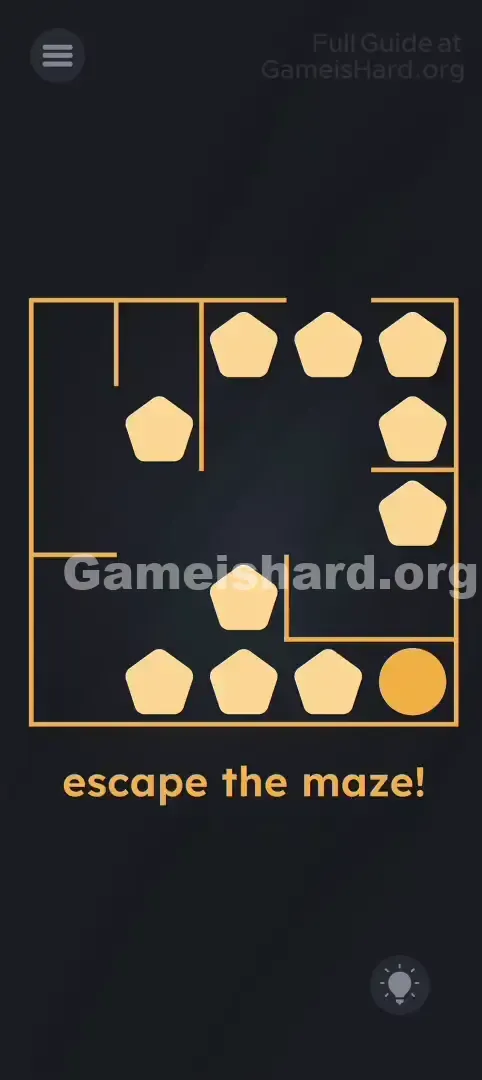
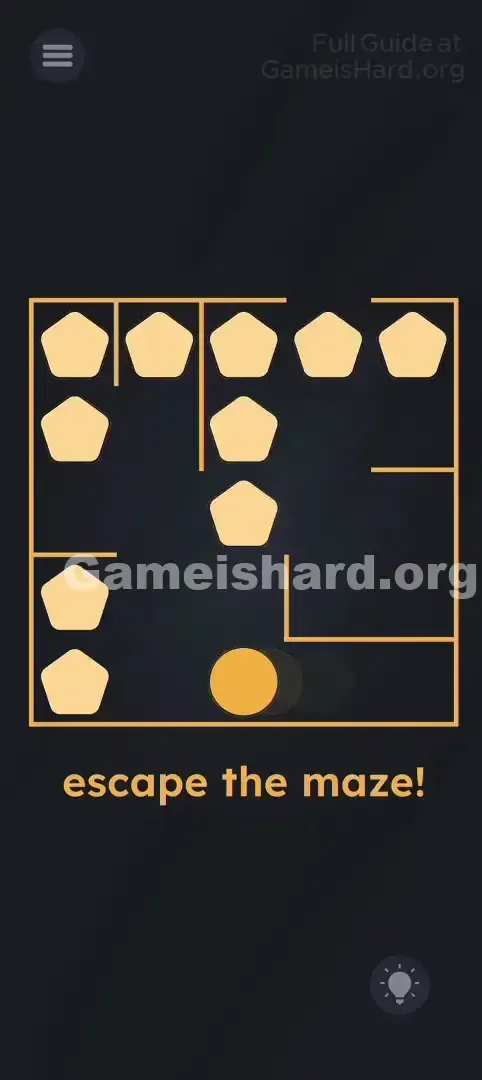
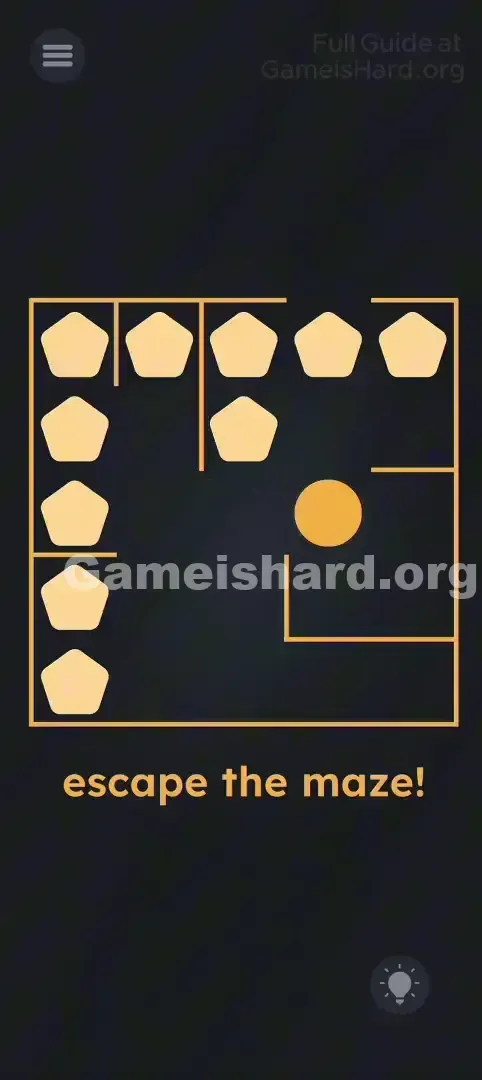
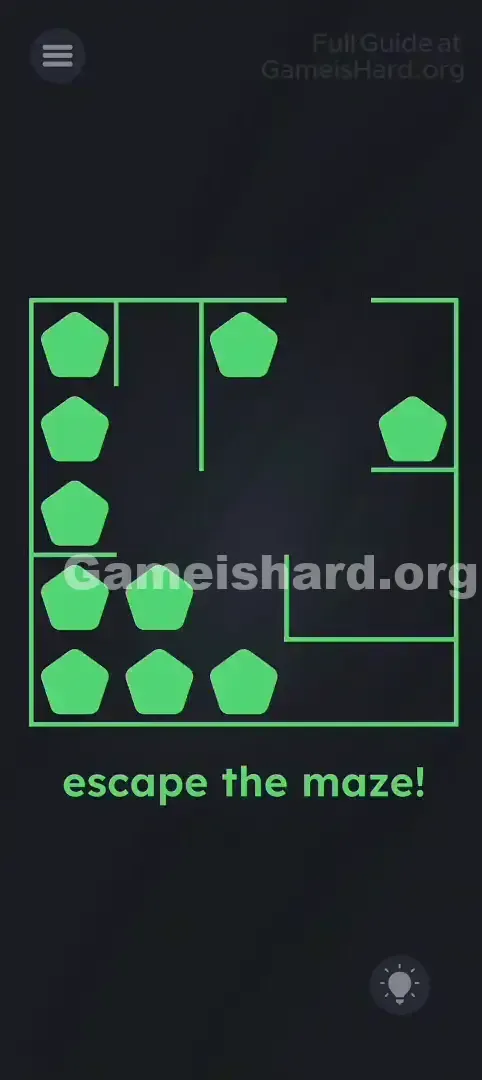
App updates can sometimes shuffle the order of puzzles. If this level 180 walkthrough doesn't match your screen, don't worry! You can browse our All Levels guide to find your exact puzzle by its picture.
Level Overview
What Makes This Puzzle Tricky
You’re staring at a maze and a ball—but every attempt to drag the ball fails. It’s jammed tight behind a cluster of beige pentagons. At first glance, it feels like one of those classic handheld labyrinth games where everything shifts together—except here, movement is split across two distinct controls.
Your Goal
Your mission is straightforward: get the orange ball out of the maze! Starting from its position (often bottom right), guide it all the way to the exit—typically located on the top or right edge. The twist? Two types of objects share the screen—the ball and the pentagon blockers—but each responds to completely different input methods.
Key Mechanics
- Tilt / Rotation Sensors: The pentagon obstacles shift based on your phone’s orientation and gravity.
- Swipe Controls: The ball moves only when you swipe—it ignores tilt entirely.
- Physics Separation: This level forces multitasking by assigning separate control schemes to different elements. It’s less about navigating walls—and more about mastering timing and coordination.
What Appears on Your Screen
Picture a clean, top-down maze with a dark background.
- The Maze: A golden-lined square with simple internal walls and an exit gap—usually on the right or top edge.
- The Hero: A bright orange circle representing your ball.
- The Villains: Several beige pentagons scattered across corridors—like heavy, movable rocks.
- The Text: A bold instruction below the maze reads “escape the maze!” Importantly, those pentagons aren’t static—they wobble and roll freely inside the maze borders.
Common Mistakes to Avoid
The Trap
The biggest pitfall is assuming tilt affects everything. In most physics-based games, tilting moves both hero and hazards—but here, tilting only shifts the pentagons. Players often panic when the ball stays still during a tilt, thinking the game froze or misfired.
First Instincts That Fail
- Dragging pentagons: Trying to push them manually with your finger does nothing.
- Tilting for the ball: No matter how hard you tilt, the ball won’t budge unless you swipe it.
- Swiping at pentagons: They won’t respond to touch—they only obey gravity.
Player Reactions
I spent nearly a full minute tilting, rotating, and even tapping wildly—convinced the ball was glitched. Then it clicked: the ball wasn’t broken—it was just waiting for a deliberate swipe while I treated my whole phone like a joystick.
Step-by-Step Solution
Preparing the Move
Hold your phone comfortably and scan the layout—spot the ball’s current location and identify the nearest clear corridor toward the exit.
Executing the Solution
- Tilt to Clear: Decide which direction you want the ball to go next, then physically tilt your phone so gravity pushes the pentagons away from that route—think of them as loose coins sliding in a tray.
- Swipe to Move: Once the path is fully unobstructed, flick your finger across the ball in your intended direction. It’ll glide smoothly until hitting a wall.
- Repeat: Progress is incremental. Tilt left → pentagons shift right → swipe ball up → tilt right → pentagons shift left → swipe ball right toward exit.
- Tilt phone left to move blockers right.
- Swipe ball up.
- Tilt phone right to move blockers left.
- Swipe ball right towards the exit.
If It Did Not Work
- Ball getting stuck? If a pentagon slides back and traps the ball against a wall, you can’t force it through—tilt again to reposition the obstacle.
- Not exiting? Getting the ball to the edge isn’t enough—you need to swipe it cleanly off-screen, past the golden border.
Why This Solution Works
This level hinges on input segregation: assigning unique controls to different objects.
- Pentagons = Gyroscope input (tilt)
- Ball = Touch input (swipe) While most mobile games unify control logic (e.g., swiping moves everything), level 180 demands mental separation—like patting your head while rubbing your stomach. The real challenge isn’t the maze layout (it’s intentionally basic)—it’s learning to manage environment and character independently.
Bonus Tip
If responsiveness feels sluggish:
- Commit to bigger tilts. Rotate your phone closer to 90 degrees if needed—the pentagons require stronger gravitational pull to clear tight spots.
- Pause and wait. Let the pentagons settle fully into corners before swiping; mid-slide movement risks clipping the ball.
- Flick—not drag. The ball responds to quick, decisive swipes—not slow, sustained drags.
Frequently Asked Questions
Q: My ball won't move when I tilt! A: That’s intentional. The ball only moves when swiped. Only the pentagons react to tilt.
Q: Can I move the pentagons with my finger? A: No—they’re gravity-bound objects and respond solely to your phone’s accelerometer.
Q: The exit is blocked by a wall? A: Check the outer golden frame carefully. There’s always a small gap—most often on the top right or center right—that serves as your exit point.
Q: Is there a trick to the text? A: None here. “Escape the maze!” is purely descriptive—the puzzle relies entirely on physical interaction, not hidden clues.
More Game Is Hard Solutions
Stuck on the next puzzle? We offer fast, no-fluff walkthroughs for every Game is Hard level. Keep your streak alive—explore our full solution library today!