App updates can sometimes shuffle the order of puzzles. If this level 106 walkthrough doesn't match your screen, don't worry! You can browse our All Levels guide to find your exact puzzle by its picture.
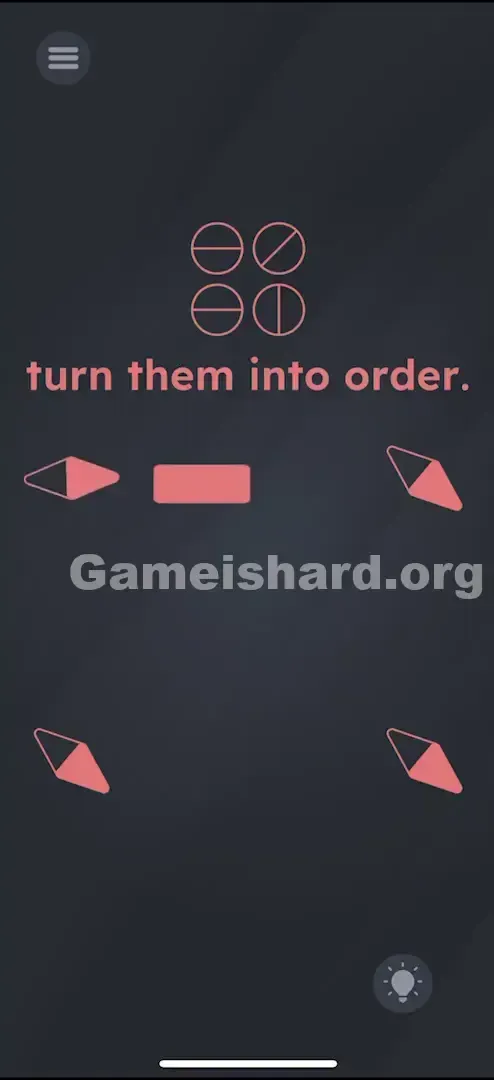
- Solution: Drag the central Red Rectangle near each compass needle to magnetically rotate them until they match the line pattern shown at the top of the screen.
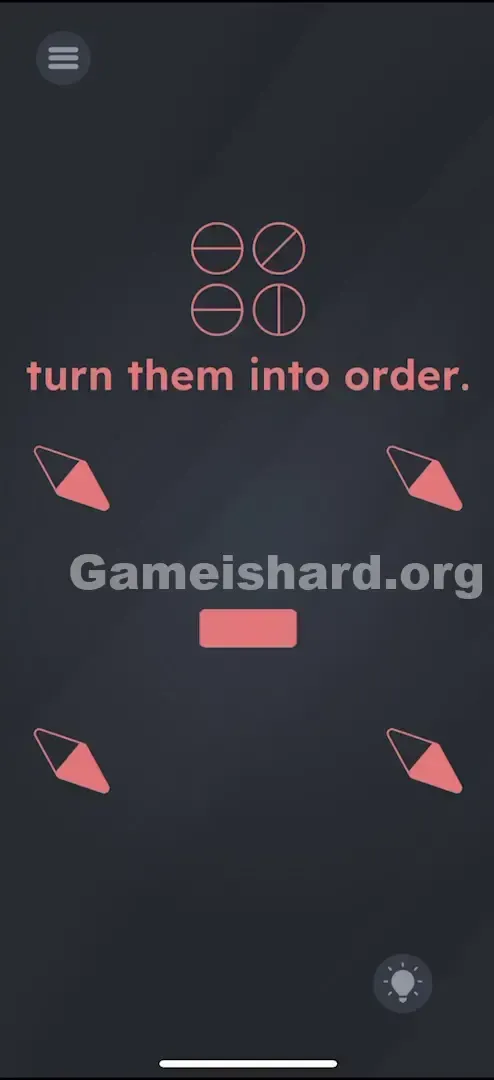
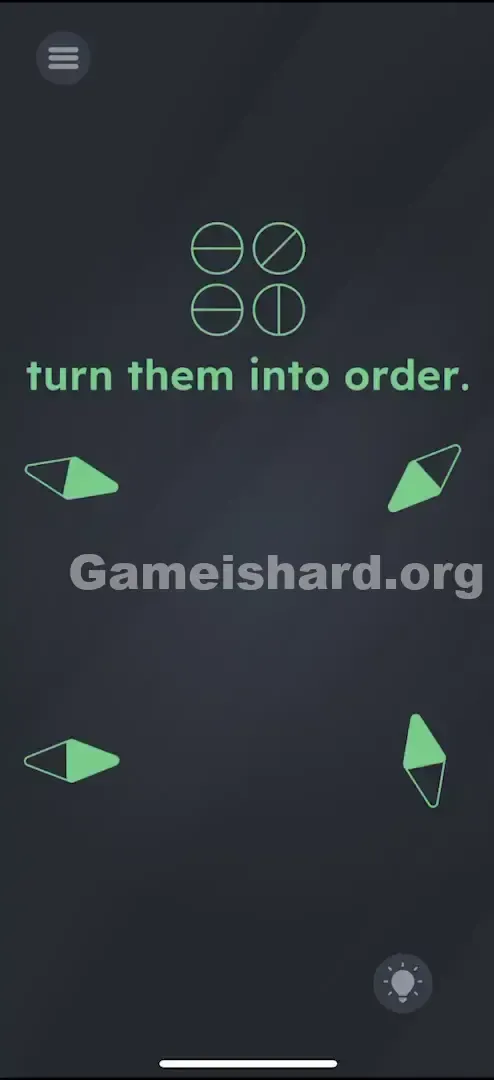
- Match the needles to this order: Top-Left = Horizontal , Top-Right = Diagonal , Bottom-Left = Horizontal , Bottom-Right = Vertical .
Level Overview
What Makes This Puzzle Tricky
You’re faced with four compass needles pointing in random directions. Tapping them has zero effect. The phrase "turn them into order" feels like a taunt—there are no visible controls, no sliders, and shaking your device only wastes time. The game isn’t broken. The controls just aren’t obvious—they’re hidden in plain sight.
Your Goal
Your goal is to align four compass needles to match the directional line patterns shown in the icons at the top of the screen. But you can’t adjust them directly—you need to use physics-based interaction instead.
Key Mechanics in Game is hard Level 106:
- Object Dragging: That central shape isn’t just decoration—it’s your primary tool.
- Magnetism: Moving one object influences nearby needles’ orientation.
- Pattern Matching: You must replicate the exact layout shown in the reference icons above. It’s not a mistake—it’s a physics puzzle in disguise.
What Appears on Your Screen
The interface uses a clean, dark grey background with minimal visual clutter.
- Top Center: Four circular icons in a 2x2 grid. Each contains a line indicating direction (Horizontal, Diagonal, Horizontal, Vertical).
- Text: "turn them into order." in pink font.
- Middle: Four compass needles (red-and-black diamond shapes) arranged in a square formation—currently misaligned.
- Dead Center: A small, solid Red Rectangle . It looks clickable—but it isn’t.
Common Mistakes to Avoid
The Trap
Most players assume the Red Rectangle is either a submit button or a static visual divider. Years of app design have trained us to treat centered rectangles as taps—not tools. When tapping fails, many instinctively try swiping or dragging the needles themselves. Neither works.
First Instincts That Fail
- Tapping the needles: No matter how many times you tap, they won’t respond.
- Shaking the device: Real compasses react to motion—but this puzzle disables gyroscope input to steer you toward the on-screen magnet.
- Tapping the top icons: Those symbols are purely for reference—not interactive elements.
Player Reactions
I spent nearly a minute tilting my phone side to side, convinced the compasses were glitched. Then, while scrolling past the center, I dragged my finger across the red rectangle—and saw a needle shift. That “Oh—that’s what moves them?” realization is pure Game Is Hard magic.
Step-by-Step Solution
Preparing the Move
Skip the text. Focus solely on the Red Rectangle at the screen’s exact center—that’s your magnetic tool. Also, lock in the top-row pattern:
- Top-Left: — (Horizontal)
- Top-Right: \ (Diagonal)
- Bottom-Left: — (Horizontal)
- Bottom-Right: | (Vertical)
Executing the Solution
- Grab the Magnet: Press and hold your finger on the central Red Rectangle.
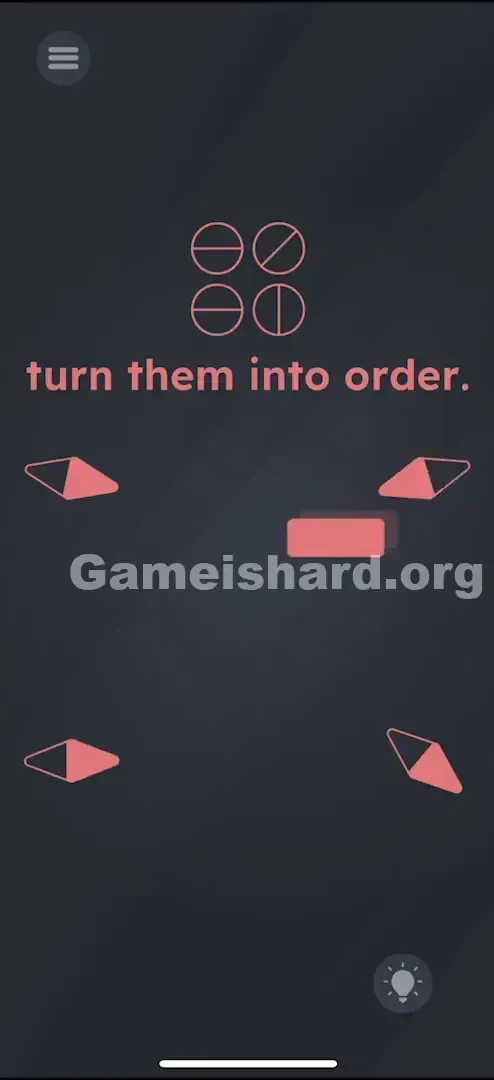
- Move to Top-Left: Drag the rectangle close to the top-left compass needle. As you circle it, watch the needle rotate. Stop when it points perfectly Horizontal (flat left-to-right). Then slowly pull the rectangle away to lock its position.
- Move to Top-Right: Bring the rectangle near the top-right needle and rotate it until it matches the diagonal icon (), pointing from top-left to bottom-right.
- Move to Bottom-Left: Position the rectangle beside the bottom-left needle and align it horizontally—just like the first.
- Move to Bottom-Right: Guide the rectangle near the final needle and set it vertically (straight up-down).
If It Did Not Work
- The needle keeps spinning back! Ease the rectangle away gradually after alignment—if you jerk it off too fast, the magnetic influence may yank the needle out of place.
- Nothing happens after matching all four! Verify the Top-Right diagonal: it must mirror the backslash () angle exactly. If it leans the opposite way (/), the level won’t register completion.
Why This Solution Works
This puzzle leans on skeuomorphic design—digital objects mimicking real-world behavior. The red rectangle functions like a physical bar magnet: bring it near a compass, and the needle swings to align with its field.
What makes it clever is how it shifts focus from UI interaction to environmental manipulation. Instead of pressing buttons, you’re prompted to interact with the space around the problem. That’s a core theme in Game Is Hard: if tapping the issue fails, try interacting with what’s next to it.
Bonus Tip
Precision isn’t everything—consistency is.
- Tackle one needle at a time.
- Return the magnet to the screen’s dead center between adjustments to avoid accidentally nudging a needle you’ve already aligned.
- Start with the straightforward Horizontal and Vertical orientations—save the Diagonal for last if fine-tuning proves tricky.
Frequently Asked Questions of Game Is Hard Level 106 (Short, Useful)
Why won’t the compass needles move when I touch them? They’re not touch-responsive. Only the Red Rectangle acts as a magnetic controller—move it near each needle to adjust its direction.
I matched the pattern but nothing triggers. Recheck the Top-Right needle: it must mirror the top icon’s exact diagonal slope (top-left to bottom-right). Also confirm horizontal needles sit perfectly flat—not slightly tilted.
Does tilting my phone help in Game is hard Level 106? No—the gyroscope is intentionally disabled here. Only the red rectangle affects rotation.
Can I adjust all needles at once? You can, by sweeping the rectangle in wide arcs—but that creates chaos. One-by-one is faster, cleaner, and more reliable.
More Game Is Hard Solutions
Stuck on another puzzle? We craft these guides to cut straight to the fix—no filler, no forced subscriptions, no distractions. If this helped you crack the magnet puzzle, pass it along to a friend currently shaking their phone in disbelief. Game on.