App updates can occasionally shift puzzle order. If this level 171 walkthrough doesn’t match what’s on your screen, no stress! Use our All Levels directory to locate your exact puzzle by image.
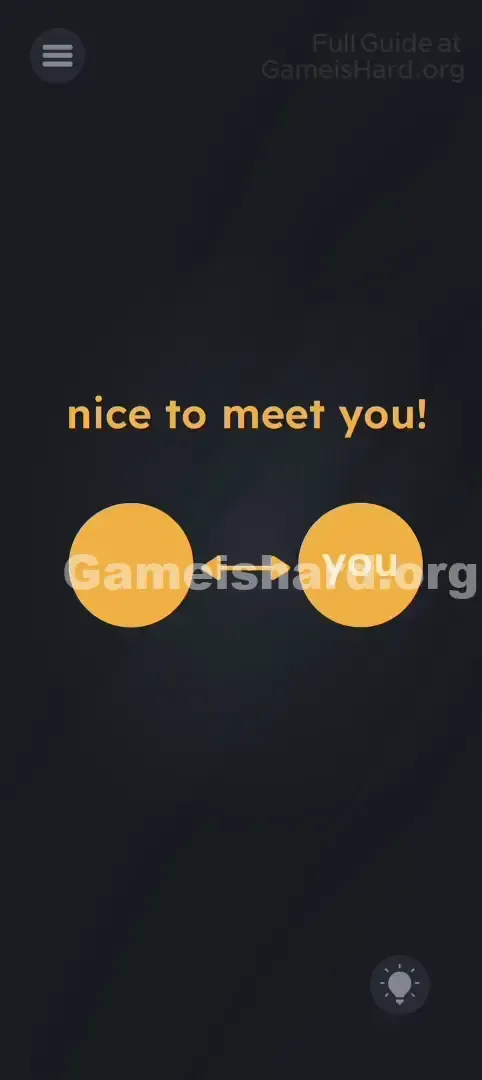
The puzzle illustrates the phrase "nice to meet you," but challenges you to place "me" directly across from "you."
Level Overview
What Makes This Puzzle Tricky
You’re greeted with a clean interface: “nice to meet you!” and two circles. One holds “you”; the other is blank. You tap it—nothing happens. You swipe or shake—still nothing. It feels like something’s missing, like the “me” piece never loaded.
Your Goal
Your task is to fill the empty left circle and complete the visual pairing. Since “you” already occupies the right circle, “me” must go on the left—and it’s hidden right inside the phrase itself, waiting to be pulled out.
Key Mechanics:
- Text Drag: Every word isn’t just text—it’s draggable content.
- Hidden in Plain Sight: The answer lives inside the prompt.
- Linguistic Deconstruction: Splitting “meet” into its core parts (“me” + “et”). It’s not a placeholder—it’s your tool.
What Appears on Your Screen
The layout is intentionally minimal—like a clean infographic.
- Top Center: Bold, friendly orange text reads "nice to meet you!"
- Center: Two large orange circles sit side-by-side.
- The Connector: A double-headed arrow links both circles, signaling mutual interaction.
- The Right Circle: Displays “you” in crisp white type.
- The Left Circle: Totally empty—a blank orange space. There are no extra buttons, no floating letters, and no inventory panel. Just the sentence and the diagram.
Common Mistakes to Avoid
The Trap
UI Blindness trips up most players. Years of app and game design teach us to treat top-screen text as unchangeable instruction—not interactive material. We read “nice to meet you!” as context, not as raw puzzle material. The game banks on that instinct.
First Instincts That Fail
Most players instinctively try to:
- Tap the empty circle over and over, hoping a keyboard appears so they can type “me.”
- Drag “you” from the right circle to the left (which just snaps back).
- Shake their device, expecting “me” to fall from nowhere.
- Wait for a clue or animation to trigger.
Player Reactions
I first tried dragging “nice” into the circle—nope. Then I swiped wildly at the sentence out of frustration. Suddenly, the “m” lifted. That instant facepalm hit hard—I wasn’t solving a riddle; I was just too polite to mess with the instructions.
Step-by-Step Solution
Preparing the Move
Pause the circles for a moment. Focus instead on the word meet inside “nice to meet you!”
Executing the Solution
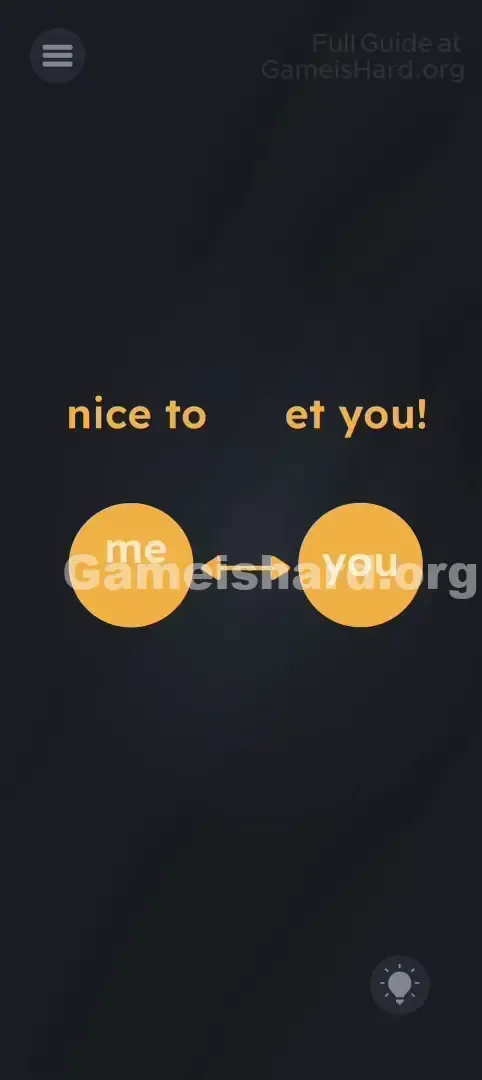
- Place your finger precisely over the “me” inside the word meet.
- Drag those two letters downward—you’ll see them detach cleanly, leaving “et” behind.
- Release “me” directly into the center of the empty orange circle on the left.
Confirming It Worked
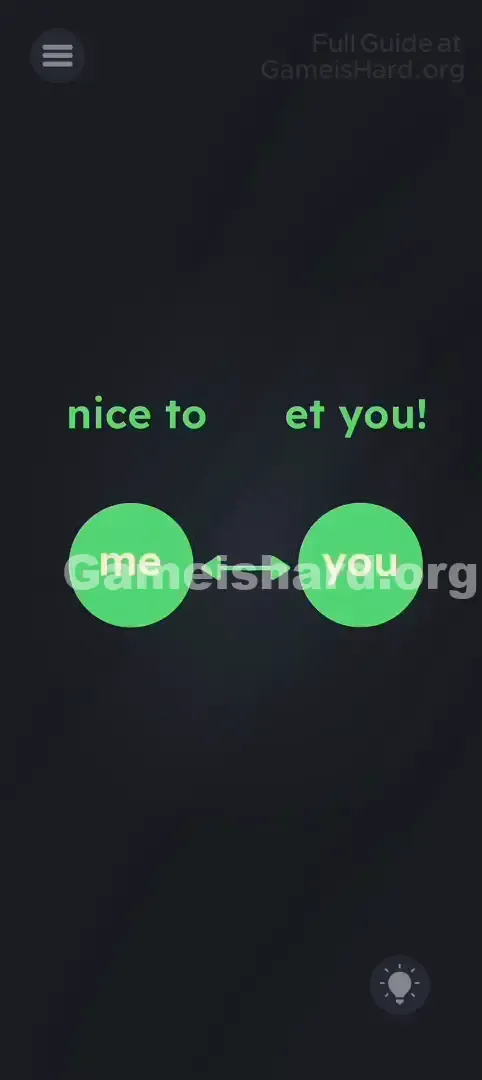
When “me” lands correctly, the circle usually lights up green or flashes—and the level completes. Now the diagram reads “me” ↔ “you,” completing the pun embedded in “meet.”
If It Did Not Work
- Fat Finger Issue: If you keep selecting the whole word or missing the “m,” zoom in (if supported) or slow down and target the middle of the “m.”
- Snapping Back: Letters return if dropped near the edge. Make sure you release them dead-center in the orange circle.
Why This Solution Works
This level showcases Linguistic Deconstruction in action—the game treats words as visual building blocks, not just meaning carriers.
It builds a visual pun: “nice to meet you” becomes “nice to me + et you.” By extracting “me” from “meet,” you physically enact the joke.
This reinforces a key Game is hard principle: The UI is built from movable parts. If you need an object, it’s almost certainly hiding in plain sight—in the question itself.
Bonus Tip
For speedruns or replays:
- Skip animations entirely.
- Go straight to the “me” in “meet” and drag it down fast.
- Flick it toward the left circle—don’t hover or hesitate.
- Skip tapping circles—they won’t respond until filled. Save time: No typing, no shaking, no dragging “nice.”
Frequently Asked Questions
Why can’t I move the word “nice”? Only specific letter clusters are interactive here—and only “me” inside “meet” is coded as draggable. The rest is static decoration.
I’m dragging “me” but it won’t stay! You need to land it fully inside the circle—not on the border. Drop it squarely in the center.
Is there another way to solve it? No. Game is hard levels typically have one precise solution path. You must extract “me” from the text.
Does moving “you” work? Nope. “You” is locked in place—or if movable, placing it on the left won’t satisfy the puzzle’s requirement: “me” belongs on the left, “you” on the right.
More Game Is Hard Solutions
Stuck on the next challenge? We’ve got your back. Our guides come from players who refuse to sit through 10-minute videos for a 2-second insight. Browse the full Game is hard walkthrough library to skip the grind and unlock that “aha!” feeling instantly.
Go prove you’ve got what it takes.