App updates can sometimes shift puzzle order. If this level 169 walkthrough doesn’t match what you’re seeing, no stress! Use our All Levels guide to locate your exact puzzle by image.
This challenge hinges on identifying the two critical taps that convert the entire grid to blue.
Level Overview
What Makes This Puzzle Tricky
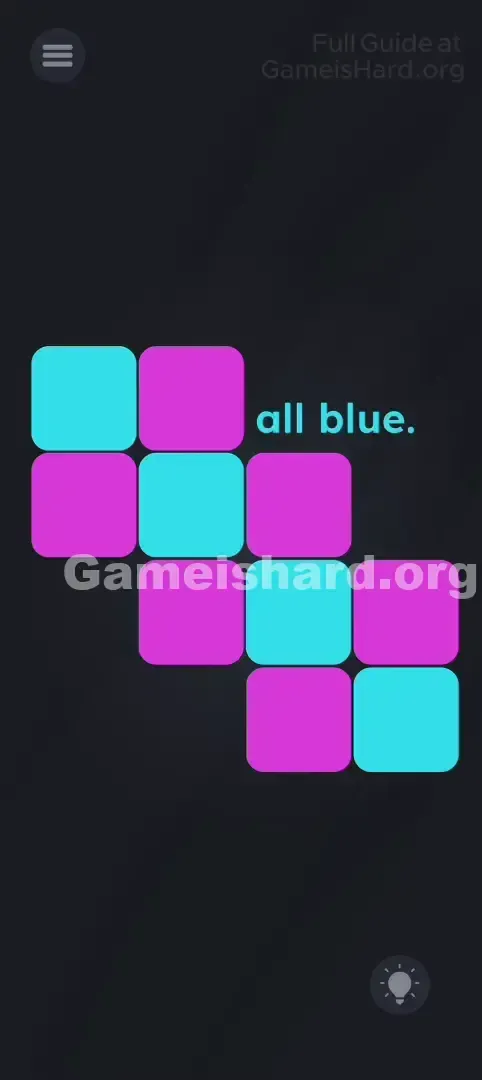
You launch the level and face a scattered grid of glowing tiles—some blue, some pink. The prompt reads simply: "Make them all blue." A random tap flips three nearby tiles—and suddenly your progress unravels. It’s like solving a logic puzzle blindfolded while juggling. That instant frustration? It’s intentional—and totally beatable.
Your Goal
Your mission is clear: turn every tile into that crisp cyan blue. You’re tackling a streamlined version of the classic “Lights Out” mechanic. Success depends on pinpointing the precise two taps that eliminate all pink without triggering new ones.
Key Mechanics
- Pattern Logic: Pure deduction—no hidden objects or surprises.
- Neighbor Interaction: Each tap toggles the tapped tile and its immediate neighbors (up, down, left, right).
- State Flipping: Colors alternate strictly between Blue and Pink with each tap.
- Action Economy: Two well-placed taps are all it takes—if you know where to aim. No gimmicks here. Just clean, satisfying logic dressed up as chaos.
What Appears on Your Screen
The layout feels deliberately off-kilter—a floating cluster of rounded tiles against deep black.
- The Grid: Roughly 10 tiles arranged in an uneven, staggered formation.
- The Colors: Most start pink (magenta), but two stand out as already-blue (cyan).
- The Text: “Make them all blue” appears top-right, slightly overlapping the grid.
- The UI: Standard menu button (top-left), hint lightbulb (bottom-right). Nothing’s hiding—this puzzle lives entirely in plain sight. Visually, it’s organized across four uneven rows—not a rigid grid.
Common Mistakes to Avoid
The Trap
The trap is impulsive tapping. Since reactions are instant and unpredictable, players often panic-tap, hoping luck will bail them out. But each tap scrambles more than it fixes—you fix one area only to wreck another. It’s a spiral of unintended consequences.
First Instincts That Fail
Most players instinctively tap pink squares—“if it’s wrong, fix it!” But in Lights-Out-style puzzles, tapping the target color usually backfires. You’re not fixing pink—you’re manipulating its neighbors. So the real move is tapping near the problem, not on it.
Player Reactions
I wasted nearly six minutes frantically tapping corners, convinced I’d missed a swipe or drag mechanic. Nope—I’d just ignored the pattern staring me in the face. Once I paused and mapped the neighbor effects, the solution clicked instantly. Sometimes the hardest part isn’t the puzzle—it’s unlearning the tricks from earlier levels.
Step-by-Step Solution
Preparing the Move
Pause the chaos. If your grid looks scrambled, restart the level—the solution only works from the default starting state. Take a breath. Scan the board and spot the two existing blue tiles.
Executing the Solution
- Locate Row 2: Find the second horizontal layer down from the top. There’s exactly one blue tile centered there.
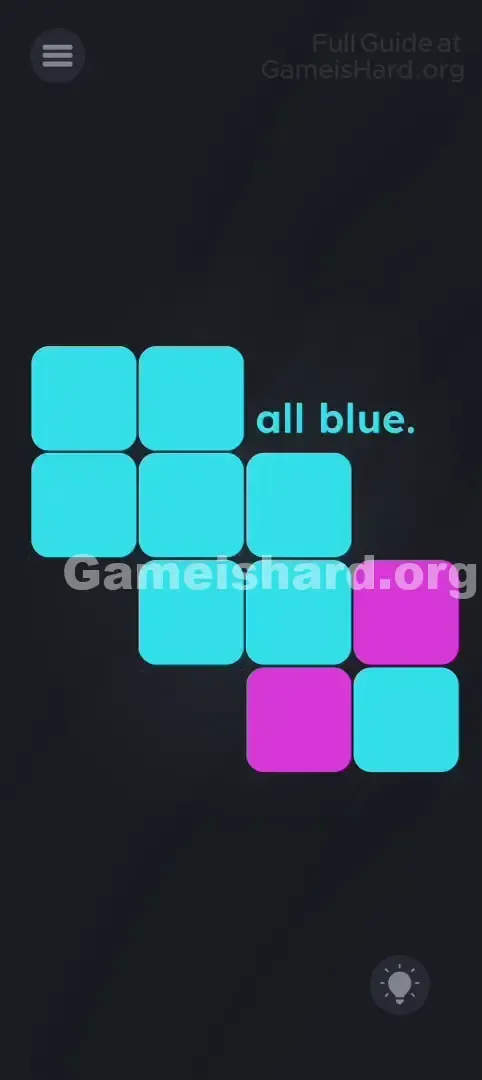
- Tap it: One tap. Watch how the upper section shifts toward blue—neighbors flip, but the pattern holds.
- Locate Row 4: Drop to the lowest row. Spot the blue tile on the far right side.
- Tap it: One more tap. This final action flips the last stubborn pink tiles to blue.
Confirming It Worked
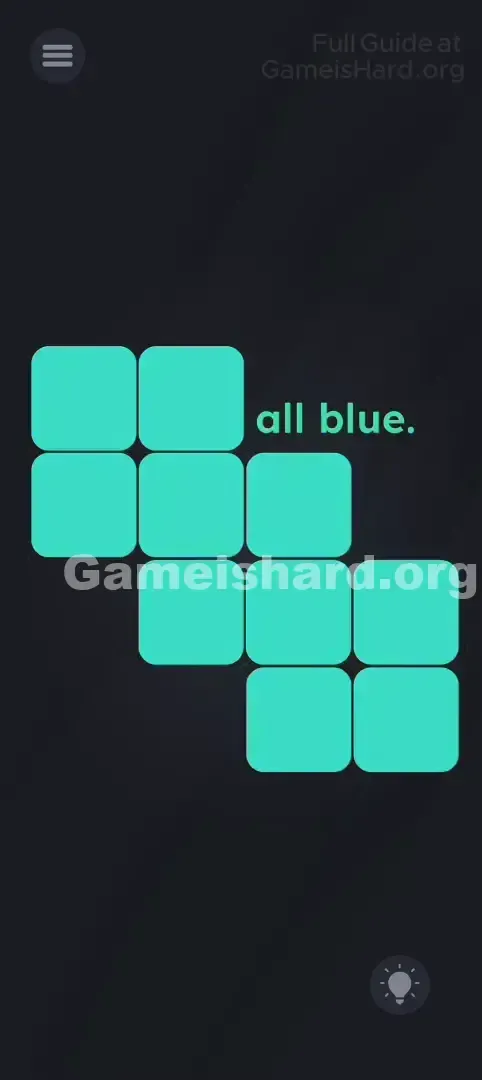
After that second tap, the whole grid should glow uniformly blue, the success message pops up, and the “Next Level” button unlocks. Still seeing pink? You likely added an extra tap—restart and follow the two-step sequence precisely.
If It Did Not Work
- "It didn't work!" Did you tap anything before following the steps? This method assumes a clean start. If the board’s altered, reset via the menu and reload Level 169.
- "I can't tell which is row 2." Count vertically: topmost tiles = Row 1; the next tier down = Row 2—even if alignment feels irregular.
Why This Solution Works
This level mirrors the foundational rules of “Lights Out”—a decades-old logic puzzle.
Core rule: Tapping any tile flips its own color plus those directly above, below, left, and right.
What makes it clever is expectation vs. execution. Game Is Hard trains players to hunt for absurd interactions—shaking, dragging, voice commands—but here, the answer is refreshingly straightforward: observe, predict, act. The real trick isn’t hidden—it’s in resisting the urge to overcomplicate.
Bonus Tip
Facing similar puzzles later? Keep this checklist handy:
- Skip the Tap Spam: Every unnecessary tap multiplies complexity.
- Restart Without Guilt: Resetting is faster than untangling a messed-up board.
- Solve Top-to-Bottom: A proven Lights-Out strategy—clear row by row, pushing changes downward.
- Trust the Prompt: “Make them all blue” is literal instruction—not draggable text or a clue to shake.
Frequently Asked Questions
Q: Can I drag blue onto pink tiles? A: No. Unlike other levels, dragging does nothing here—only precise taps matter.
Q: Does shaking the phone reset colors? A: Nope. Shaking has zero effect in Level 169. Use the menu restart instead.
Q: Does order matter? A: Mathematically, no—the operations commute. But tapping top-first builds consistency for future levels.
Q: Why does the layout look different after failing? A: It shouldn’t—the starting pattern is locked. If it varies, you probably tapped during load time.
More Game Is Hard Solutions
Stuck on Level 170—or even Level 175? Our main index has every walkthrough, built for speed, accuracy, and zero fluff. Bookmark us or send this link to that friend who brags about puzzle IQ… but still can’t crack Level 50. You’ve got this!