App updates occasionally reorder levels. If this level 165 guide doesn’t match what you see, no problem! Head to our All Levels page and find your exact puzzle using the screenshots.
Target the bars one by one to build a zigzag path down to the basket.
Level Overview
What Makes This Puzzle Tricky
You’re greeted with a blue ball, a basket, and several floating platforms — classic physics-puzzle setup at first glance. You instinctively tilt your device, expecting things to shift automatically… but nothing responds. Or worse — everything spins wildly at once. This level masquerades as a simple “roll the ball” challenge, but every movement must be controlled manually.
Your Goal
Your goal is to get the blue ball safely into the U-shaped basket at the bottom. Gravity won’t help unless you first engineer a precise descent route — meaning you’ll need to position each platform individually to form a working slide.
Key Mechanics
- Tilt / Rotation: Your phone’s motion sensors adjust the angle of unlocked bars.
- Locking Mechanism: A single tap toggles whether a bar reacts to tilt — this is the make-or-break detail most players overlook.
- Physics: Once your path is fully locked in, gravity takes over naturally. It’s not a bug — it’s intentional design.
What Appears on Your Screen
The interface uses dark backgrounds with glowing blue neon visuals.
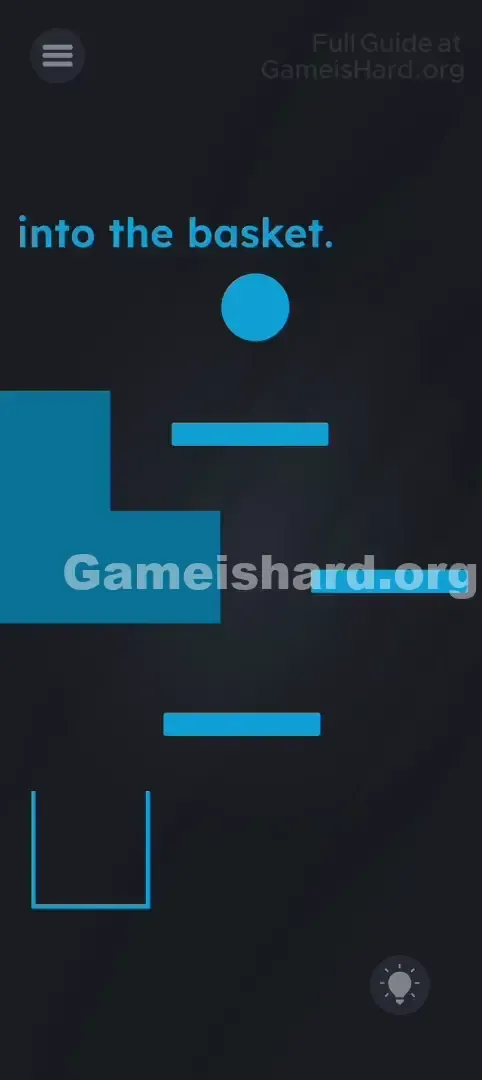
- A Blue Ball hovers near the top of the screen.
- Three horizontal blue bars sit at varying heights below it.
- A large, static blue L-shaped structure occupies the left side — purely decorative.
- A U-shaped basket rests in the bottom-left corner.
- The phrase "into the basket." appears near the top. Nothing moves until you begin interacting with the bars.
Common Mistakes to Avoid
The Trap
The biggest mental roadblock is assuming all bars should move together. Trying to tilt your phone to rotate them all at once leads to identical angles — which makes a zigzag path impossible. To guide the ball correctly, adjacent bars must point in opposite directions.
First Instincts That Fail
- Tapping the ball too early: Doing so before your path is ready sends the ball straight down — game over.
- Over-tilting without locking: If bars stay unlocked, they’ll keep rotating while you adjust, collapsing your carefully built path.
Player Reactions
I spent nearly two minutes trying to hold my phone perfectly still, convinced I had to “catch” the ball mid-fall like balancing plates on a tray. Then I accidentally tapped a bar — it flashed red — and suddenly realized I’d been ignoring the core interaction mechanic entirely. Instant facepalm.
Step-by-Step Solution
Preparing the Move
Put the ball aside for now. Right now, your only job is to configure those three horizontal bars into a functional slide.
Executing the Solution
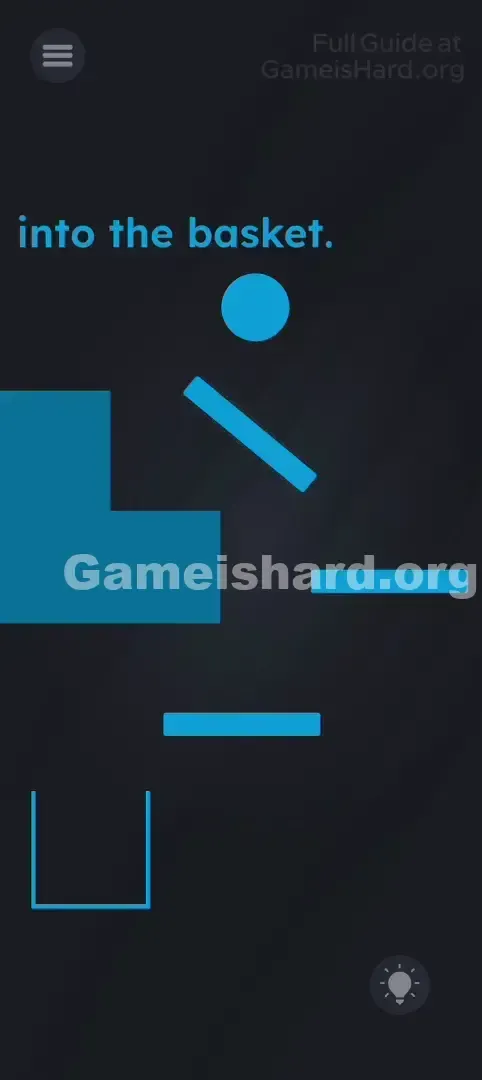
- Tap the top bar. It will visually signal it’s active — usually by turning red or highlighting.
- Tilt your phone until that top bar slopes downward to the right, aiming toward the middle bar.
- Tap the top bar again to lock it in that position. It will now stay fixed, even if you move your device.
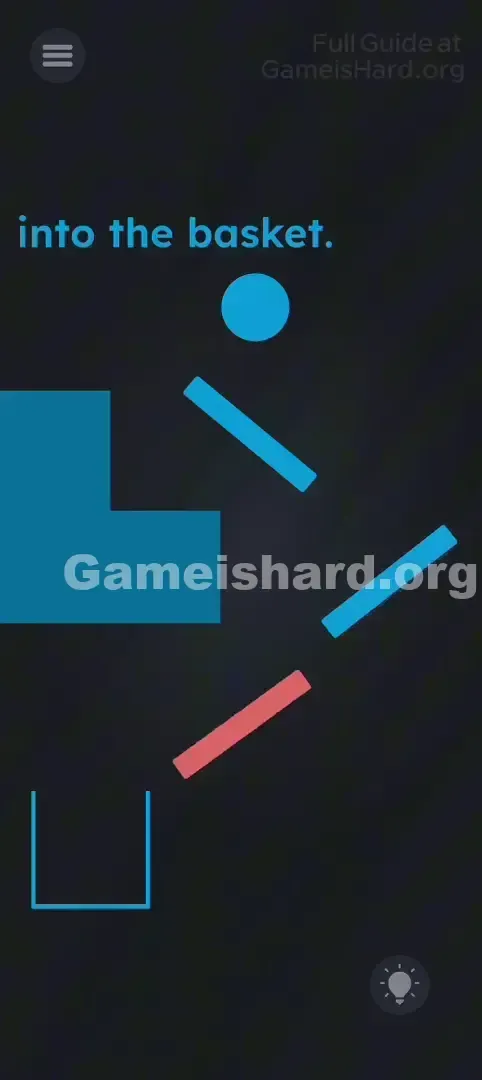
- Tap the middle bar to unlock it. Now tilt your phone the opposite way so it slopes downward to the left — guiding the ball toward the bottom bar.
- Tap the middle bar again to lock it.
- Tap the bottom bar to unlock it. Tilt your phone to angle it downward to the right, pointing directly into the basket. Tap to lock.
- Verification: You should now see a clean, alternating zigzag ramp system leading straight to the basket.
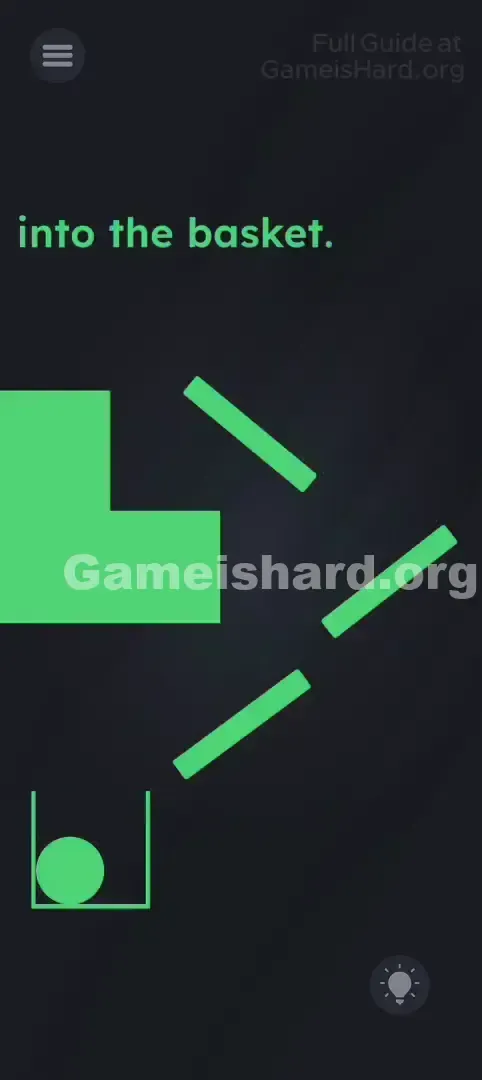
- Final Step: Tap the Blue Ball . It drops, rolls smoothly along your locked ramps, and lands cleanly in the basket.
If It Did Not Work
- The ball got stuck: Shallow angles prevent rolling. Unlock the problematic bar, tilt your phone for a steeper slope, re-lock, and try again.
- The ball missed the basket: The final ramp may be angled too sharply or too far right. Fine-tune the bottom bar’s tilt before locking.
Why This Solution Works
This level doubles as a stealth lesson in state-based control — a foundational concept in both coding and interactive design.
- Default State: Locked (immobile).
- Active State: Unlocked (responsive to device motion). The game demands deliberate, sequential control: you can’t solve the whole path until you manage each element’s state individually. It deliberately breaks the expectation that mobile tilt mechanics always affect everything at once.
Bonus Tip
- Wait to drop the ball until every bar is locked and aligned.
- Aim for steeper angles — gravity is intentionally light here; shallow ramps cause stalls.
- Build top-down. It helps you anticipate where the ball will land after each bounce.
- If a bar doesn’t respond to tilt, remember: you haven’t tapped it yet to unlock it.
Frequently Asked Questions
Q: Can I drag or swipe the bars? A: No. Touch gestures have no effect — only tilt controls rotation.
Q: Why does the bar change color when I tap it? A: That color shift means it’s now “active” and responding to your phone’s motion sensors.
Q: The ball flies off-screen! A: That almost always means one or more bars weren’t locked. An unlocked bar keeps rotating during the ball’s descent — knocking it off course. Double-check each bar is tapped twice.
Q: Do I need to interact with the big L-shaped block? A: Nope — it’s just part of the background. Ignore it completely and focus only on the three small bars.
More Game Is Hard Solutions
If this guide kept your streak alive, explore our full Game is hard walkthrough library. We skip the filler and deliver direct, no-nonsense solutions — because nobody wants to watch a 10-minute video just to pass level 165. Share this with the friend still frantically spinning their phone upside down. You’ve got this!