- Home
- All Levels
- Game Is Hard Level 150
Doesn't look like your level?
App updates can occasionally reorder puzzles. If this level 150 walkthrough doesn’t match what you’re seeing, no stress! Flip through our All Levels directory to spot your exact puzzle by image.
Level Overview
What Makes This Puzzle Tricky
You’re looking at a tiny, spinning solar system. Tap the screen — nothing happens. Try dragging the blue circle — it snaps right back to center. It feels broken, like there’s a missing “launch” button. But it’s not broken. The game isn’t waiting for taps or swipes — it’s waiting for you to move your device.
Your Goal
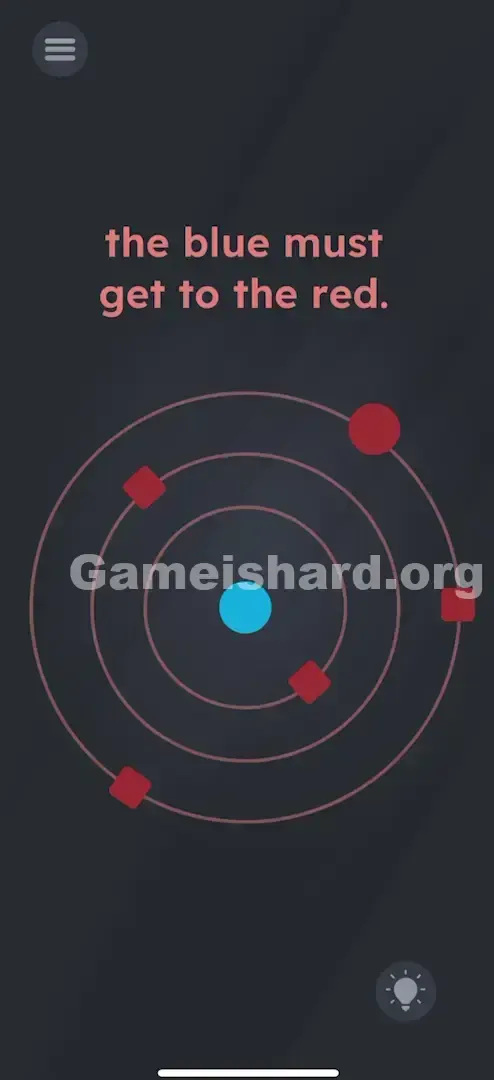
The prompt reads: " the blue must get to the red. " Straightforward in theory. Your job is to guide the small blue dot outward until it smashes into the large red circle orbiting farthest from the center. Think of it as a precision-based obstacle course in motion.
Key Mechanics
- Motion Sensors (Shake): Your phone’s accelerometer drives every action.
- Timing: Random shakes will only send you straight into danger.
- Collision Physics: Objects behave with real weight and momentum.
It’s not a typo — it’s pure pinball physics.
What Appears on Your Screen
The layout is minimalist and precise.
- Center: A static blue circle (your player).
- Orbits: Three evenly spaced concentric rings circling the blue dot.
- Obstacles: Rotating red squares on the inner and middle rings — these are your main hazards.
- Target: A large red circle spinning slowly on the outermost ring — that’s your finish line.
- Text: " the blue must get to the red. " appears centered at the top.
Common Mistakes to Avoid
The Trap
Most players instinctively try dragging the blue dot. When that fails, they assume timing a tap will “fire” it outward — like an old-school shooter. But tapping does nothing. The real trap? UI blindness — forgetting your phone itself is the controller.
First Instincts That Fail
- Dragging: The blue dot ignores touch input completely.
- Tapping: Neither the red nor blue circles respond to taps.
- Waiting: The orbits spin endlessly — no auto-trigger exists.
Player Reactions
I tapped frantically for over a minute, convinced the touchscreen was glitching. Then I accidentally jostled my phone while setting it down — and the blue dot leapt outward. That tiny bump was my “aha” moment.
Step-by-Step Solution
Preparing the Move
Hold your phone securely with both hands. Clear visibility matters — watch how the red squares rotate, especially those closest to the center.
Executing the Solution
- Wait for an opening. The red squares on inner rings act like moving blockers — patience pays off.
- Deliver a sharp, controlled shake. A quick wrist snap works best.
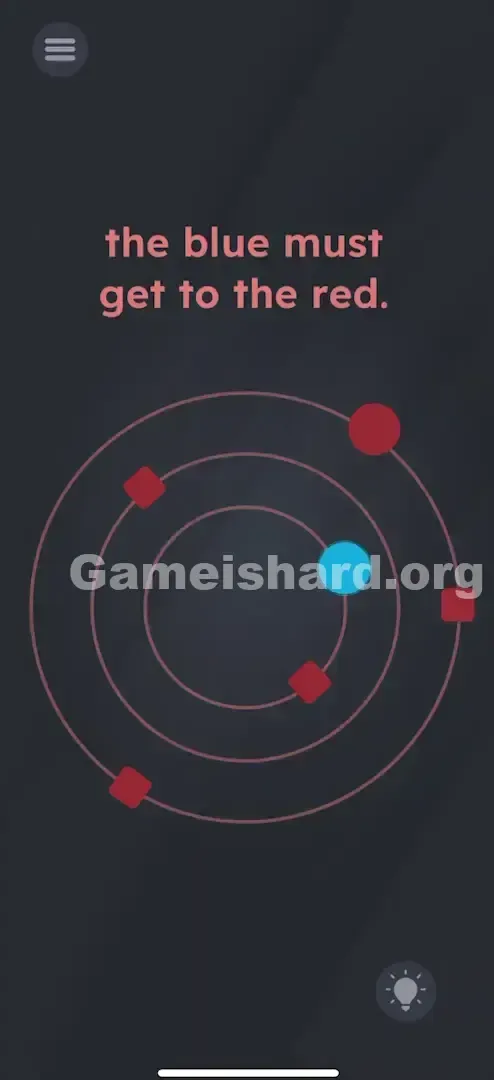
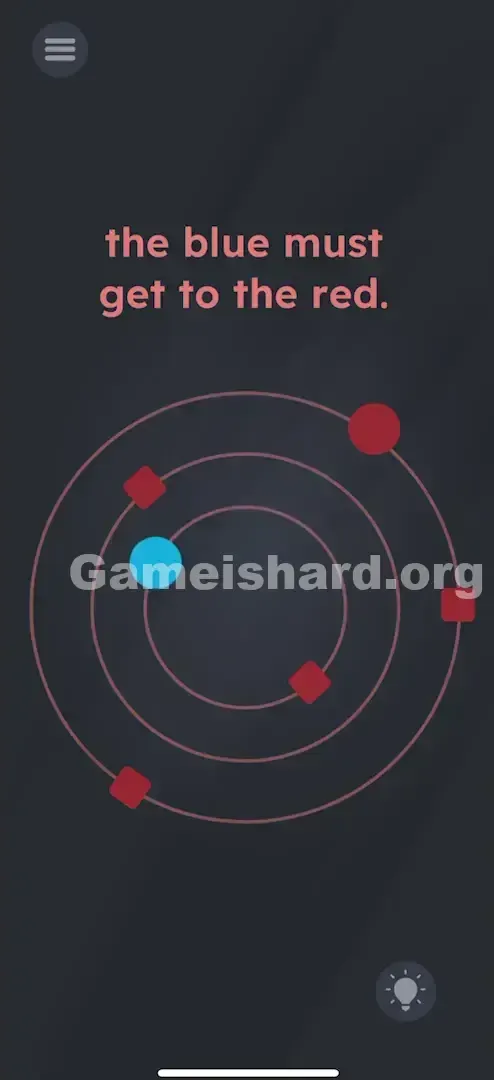
- The blue circle will launch from center to the first outer ring.
- Repeat carefully — each shake advances it one ring farther, dodging hazards along the way.
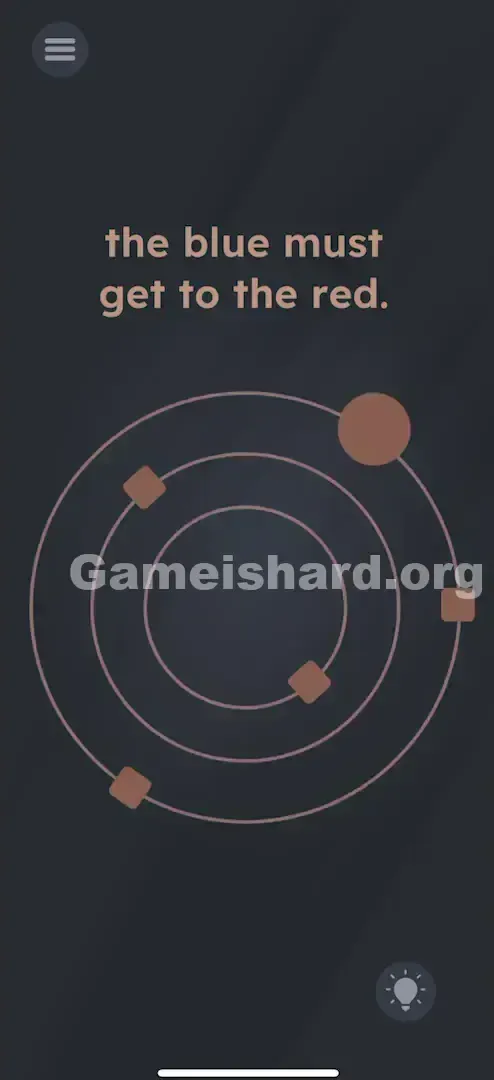
- Final Shake: Time it so the blue circle lands directly on the large red circle on the outermost ring.
If It Did Not Work
- "It keeps hitting the squares!" Resist the urge to shake repeatedly. Treat each move like a turn — shake, wait for clearance, shake again.
- "The dot isn’t moving." Your shake needs authority — gentle tilting won’t register. Imagine shaking a stubborn ketchup bottle.
- "I hit the red circle but didn’t win." Just landing on the outer ring isn’t enough. You must make clean contact — if you miss the red circle, you’ll either drift harmlessly or crash into a square.
Why This Solution Works
This level challenges you to ditch touchscreen habits entirely. Game is hard Level 150 uses your device’s motion sensors as its sole input — touch is disabled on purpose. The core idea is physical cause-and-effect: force creates movement. Your phone becomes a tactile puzzle box where gravity and momentum (simulated via shake) are the only rules that count.
Bonus Tip
- Don’t tilt — shake. Tilting has zero effect.
- Focus on the innermost red squares — their speed makes them toughest to avoid.
- You don’t need one dramatic shake. Ring-by-ring progression is safer and more reliable.
Frequently Asked Questions
Q: Can I drag the blue circle?
A: No. Dragging is intentionally disabled here — motion control is the only path forward.
Q: Do I need to hit the red circle exactly?
A: Yes. Reaching the outer orbit alone won’t trigger victory — direct collision is mandatory.
Q: My shake isn’t registering?
A: Try a short, snappy motion instead of a wide swing. A crisp wrist flick usually triggers the sensor best.
Q: What happens if I hit a red square?
A: Instant reset — the level starts over from scratch.
More Game Is Hard Solutions
If this guide kept your phone safely in your hands (and not airborne), explore our other step-by-step solutions. We build these guides to be quick, accurate, and clutter-free — because all you want is to keep playing. Share this with anyone else stuck on level 150!