App updates occasionally reorder puzzles. If this level 145 walkthrough doesn’t match what you’re seeing, no stress! Flip through our All Levels directory to locate your exact puzzle using its visual layout.
Level Overview
What Makes This Puzzle Tricky
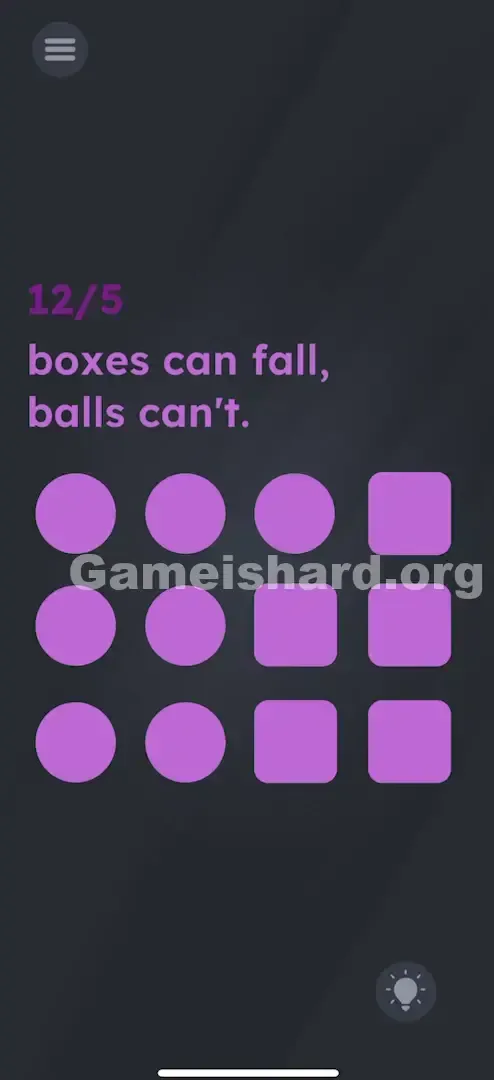
You’re greeted with purple shapes and a puzzling 12/5 counter. A stark message reads: “boxes can fall, balls can't.” You might try tilting, swiping, or waiting—but nothing happens. The counter stays frozen. The shapes sit motionless, silently challenging your assumptions.
Your Goal
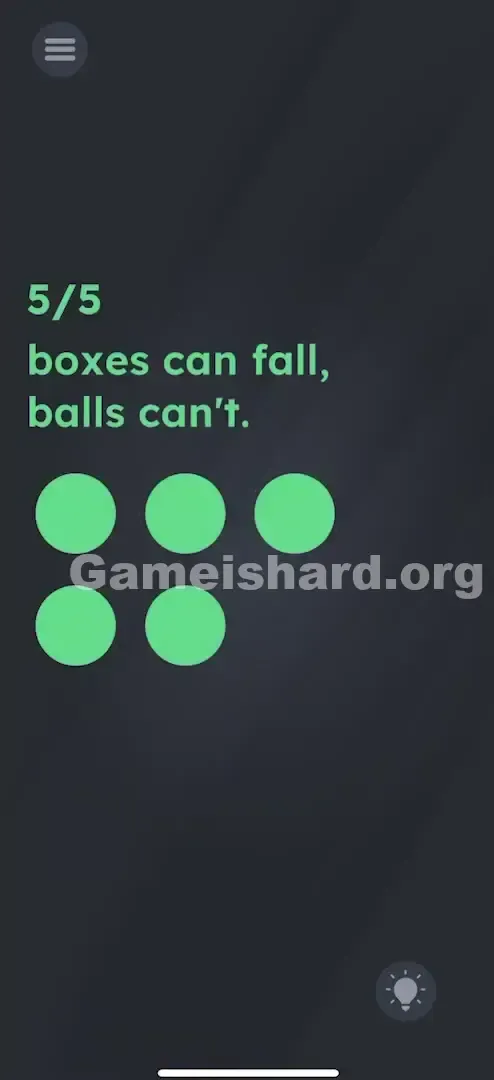
Your mission is to land exactly on 5/5—meaning five items must remain visible. The game tracks total objects, but only lets you eliminate them based on shape-specific behavior.
Key Mechanics in Game is hard Level 145:
- Sensor (Shake): Your device’s motion sensor triggers removal.
- Tap to Change: Touch transforms one object type into another.
- Physics Logic: Gravity applies selectively—only to boxes.
- Counter Watch: Precision matters—you need exactly five items, not zero or close. It’s not a glitch—it’s intentional design.
What Appears on Your Screen
The interface uses a dark grey background with purple elements.
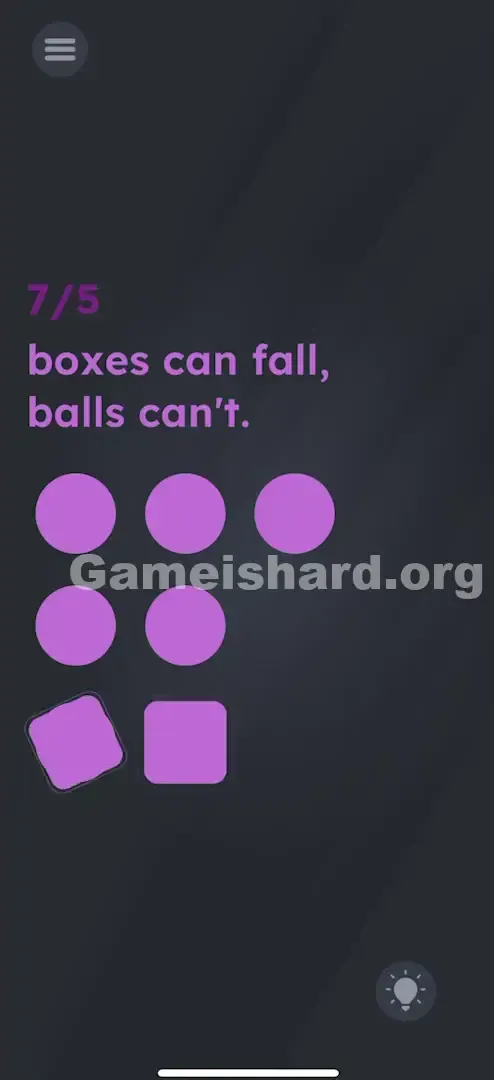
- Top Left: A counter showing 12/5 (or 7/5 as you progress)—indicating current count versus target.
- The Text: “boxes can fall, balls can't.” This isn’t flavor—it’s your core instruction.
- The Grid: A mix of purple Circles (balls) and purple Squares (boxes), aligned in rows.
- Bottom Right: A hint bulb icon. Everything appears static—but gravity is just waiting for the right trigger.
Common Mistakes to Avoid
The Trap
Many players assume tapping alone will solve it. They flip all shapes into one type—yet the count never drops. The real catch? Tapping changes what an object is; shaking decides whether it stays. You need both actions working together.
First Instincts That Fail
- Dragging shapes off-screen: No effect—they’re locked to the grid.
- Converting everything to balls: You still have 12 items—no progress.
- Converting everything to boxes: One shake wipes the board—leaving zero, not five.
Player Reactions
I tapped every ball into circles first, thinking, “If balls can’t fall, and they’re all balls… done!” Nope—the counter stayed stubbornly at 12/5. It clicked only after realizing I wasn’t supposed to preserve everything—I needed to remove things strategically.
Step-by-Step Solution
Preparing the Move
Hold your phone securely—you’ll be shaking it intentionally. Scan the grid and note which shapes are balls and which are boxes.
Executing the Solution
- Shake your device. Observe how squares (boxes) vanish off the bottom edge while circles (balls) stay anchored.
- Glance at the counter—it should now reflect fewer items (e.g., dropping from 12/5 to 7/5).
- Tap selected balls to transform them into boxes.
- Shake again—the newly created boxes will disappear too.
- Continue this loop carefully until precisely 5 balls remain.
If It Did Not Work
- Shaking doesn’t register: Try a sharper, quicker wrist motion—some sensors respond better to crisp movement.
- Removed too many items: If over-conversion leads to fewer than 5, restart the level.
- Counter won’t update: Ensure boxes fully exit the screen—any lingering half-visible box may stall progress.
Why This Solution Works
This level trains you to layer two inputs: transformation (tap) and elimination (shake).
Think of it as a simple data-sorting routine.
- Filter: Shaking deletes one category (boxes).
- Convert: You manually recategorize items (balls → boxes).
- Loop: Apply the filter again to reduce further. It’s logic dressed up as playful physics—the phrase “boxes can fall” isn’t poetic. It’s the literal rule governing movement here.
Bonus Tip
Timing matters more than speed.
- Start with one shake to clear starting boxes.
- Count how many balls you need to convert to reach exactly 5—then tap only that many.
- Shake once more to finish cleanly. Avoid converting all balls at once—otherwise, you’ll overshoot and lose everything.
Frequently Asked Questions
Q: My phone isn’t detecting shakes! A: Use a short, decisive flick instead of prolonged shaking. Also, double-check that screen rotation lock isn’t interfering—even though the game usually works independently.
Q: Can I drag boxes away manually? A: No—dragging has zero effect in Game is Hard Level 145. Only shaking removes boxes.
Q: What if I end up with fewer than 5 balls? A: That fails the level. You must finish with exactly 5 items. Restart and adjust your taps.
Q: Does order matter when tapping balls? A: Not at all—any ball can become a box. Just choose ones that are easiest to tap.
More Game Is Hard Solutions
If this guide rescued your sanity (and possibly your phone), explore our full collection of walkthroughs. We build them to be quick, precise, and clutter-free—so you spend less time reading and more time playing. Pass this along to anyone spinning their wheels on level 145!